Creating your first online course can feel like a big leap. You have valuable knowledge to share, but navigating the world of course creation software can be overwhelming, especially if you’re just starting out. Fear not! We’ve compiled a list of the top 5 best course creation software specifically designed with beginners in mind. These platforms offer intuitive interfaces, essential features, and won’t require you to be a tech guru to get started. Let’s dive in!
What Makes Course Creation Software Beginner-Friendly?
Before we jump into our top picks, let’s define what makes a platform ideal for beginners:
- Ease of Use: Intuitive drag-and-drop interfaces and clear navigation are crucial. You shouldn’t need extensive training to figure out the basics.
- Gentle Learning Curve: The software should allow you to start with simple content and gradually explore more advanced features as you become comfortable.
- Essential Features Included: While advanced features are great, beginners need the core functionalities to create engaging lessons, like multimedia integration, basic quizzes, and simple layout options.
- Good Support and Resources: Access to tutorials, documentation, and responsive customer support can be a lifesaver when you’re learning the ropes.
- Affordable or Free Options: Starting with a budget-friendly or free plan allows beginners to test the waters without a significant financial commitment.
Our Top 5 Best Course Creation Software for Beginners:
Here are our top recommendations, keeping the above criteria in mind:
1. ActivePresenter: Your Powerful Yet Beginner-Friendly Desktop Solution
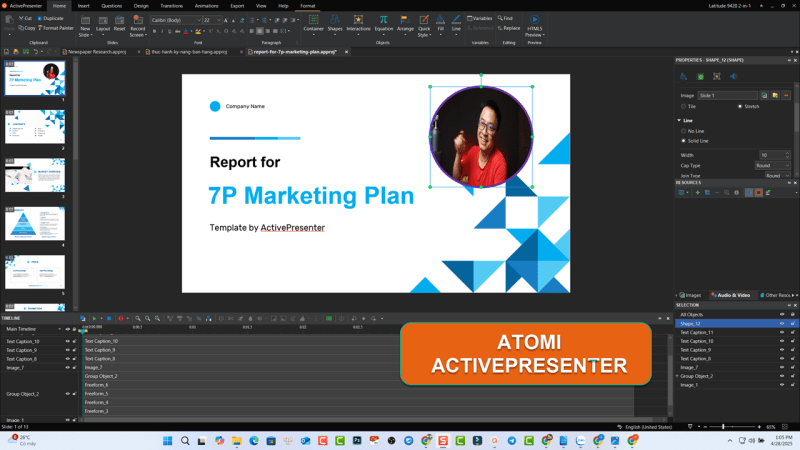
While some might think desktop software is complex, ActivePresenter, one of the best eLearning authoring tools, strikes an excellent balance between powerful features and a user-friendly interface, making it surprisingly accessible for beginners. It’s a comprehensive tool that allows you to create a wide range of interactive content, from simple video lessons to complex software simulations and branching quizzes.
Why it’s great for beginners:
- Intuitive Interface: The ribbon-based interface is well-organized, making it easy to find the tools you need. The drag-and-drop functionality simplifies the process of adding and arranging elements.
- Versatile Recording Capabilities: Easily record your screen, webcam, or both simultaneously. This is perfect for creating tutorials, presentations, and demonstrations – a cornerstone of many beginner courses.
- Built-in Editing Tools: You don’t need separate software for basic video and audio editing. Trim clips, add annotations, adjust volume, and more, all within ActivePresenter.
- Interactive Quizzes Made Easy: Create engaging quizzes with various question types (multiple choice, true/false, fill-in-the-blank, etc.) with simple setup and feedback options.
- Free Version Available: ActivePresenter offers a free version with a robust set of features, allowing beginners to get started without any initial investment. This is a fantastic way to learn the software and create your first courses.
- Excellent Tutorials and Support: ActivePresenter boasts a wealth of free tutorials and comprehensive documentation to guide you through every step.
Key Beginner-Friendly Features:
- Drag-and-drop interface
- Screen and webcam recording
- Advance video and audio editing
- Simple quiz creation with various question types
- Pre-designed templates and themes
- Options for annotations, shapes, and images
Getting Started with ActivePresenter: Download the free version from their website and explore the intuitive interface. The built-in tutorials are an excellent starting point for understanding the basic workflows.

2. Thinkific: Streamlined Platform for Course Hosting and Creation
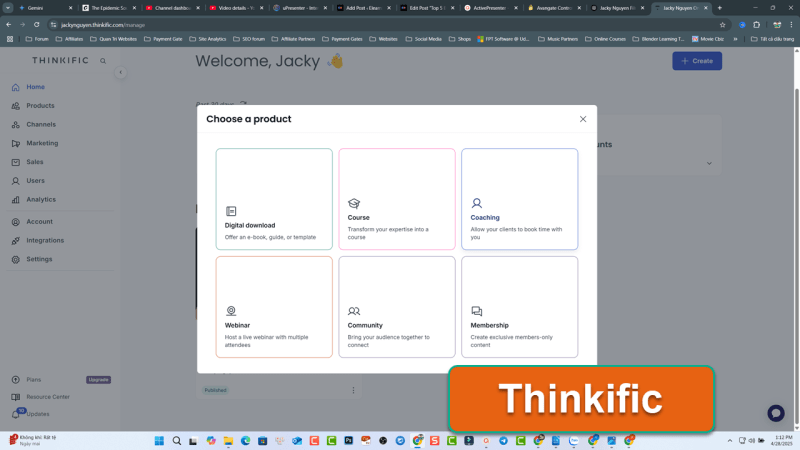
Thinkific stands out as a streamlined platform particularly adept at managing and organizing your course lessons. Its intuitive structure allows you to effortlessly arrange your learning materials into a logical flow, creating a clear pathway for your students.
However, it’s important to note that Thinkific primarily focuses on the management aspect; creators are responsible for uploading their own pre-prepared content, whether it’s videos, documents, or interactive elements crafted using other tools, like ActivePresenter at the first place. This makes it an excellent choice for those who already have their course content ready and need a robust system to deliver and structure it effectively.
Why it’s great for beginners:
- Simple Course Builder: The drag-and-drop course builder allows you to easily structure your lessons and upload various content types (videos, PDFs, text, etc.).
- No Coding Required: You don’t need any coding knowledge to create visually appealing courses and landing pages.
- Integrated Sales and Marketing Tools: Thinkific provides basic tools to sell your courses, manage enrollments, and communicate with students.
- Clear Pricing Plans: They offer various pricing tiers, including a free plan with limited features, allowing beginners to start without a financial commitment.
- Good Customer Support: Thinkific is known for its helpful customer support.
Key Beginner-Friendly Features:
- Drag-and-drop course builder
- Easy content uploading
- Basic quiz and survey options
- Simple website and landing page builder
- Integration with various third-party tools
3. LearnWorlds: Feature-Rich Platform for Interactive Learning
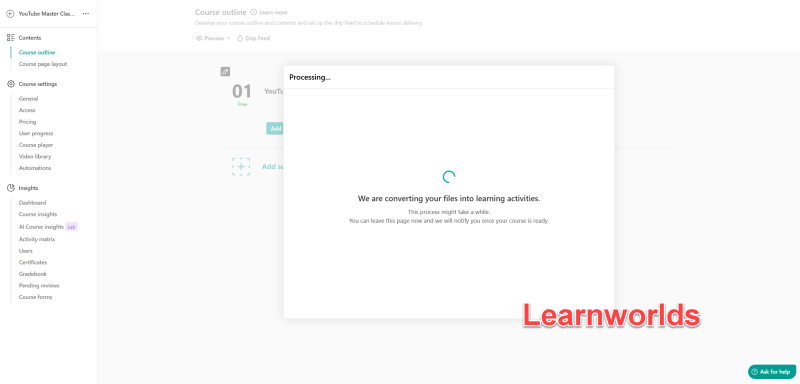
LearnWorlds is a powerful, cloud-based platform that offers a comprehensive suite of tools for creating and selling online courses. While it empowers beginners with integrated features for interactive content creation, it’s important to note that the onus is on the user to create and upload their course materials, whether they leverage LearnWorlds’ built-in tools or bring in externally created content. Despite this need for content creation, LearnWorlds goes beyond simply organizing pre-existing material, allowing beginners to build more engaging learning experiences directly within the platform.
Why it’s great for beginners:
- Integrated Content Creation Tools: LearnWorlds offers more built-in options for creating interactive content, such as interactive videos, various quiz types, assignments, and even the ability to host live classes. This reduces the need for multiple external tools for beginners.
- Customizable Course Player: You can personalize the look and feel of your course player to match your branding, creating a more professional and engaging learning environment.
- Marketing and Sales Features: LearnWorlds provides a good set of tools for pricing your courses, offering coupons, and managing subscriptions, helping beginners navigate the business side of online education.
- Community Building Tools: Features like discussion forums allow you to foster a community around your courses, enhancing learner engagement.
- Good Support and Resources: LearnWorlds offers helpful documentation and support to guide new users.
Key Beginner-Friendly Features:
- 30 days free trial without credit card information.
- Customizable course player
- Marketing and sales tools
- Community features (discussion forums)
- Options for live classes and webinars
Getting Started with LearnWorlds: Explore their website and consider their free trial (if available) to experience the platform’s features firsthand. Their extensive help center provides valuable guidance for new users.
4. uPresenter: AI-Powered eLearning Platform for Effortless Creation
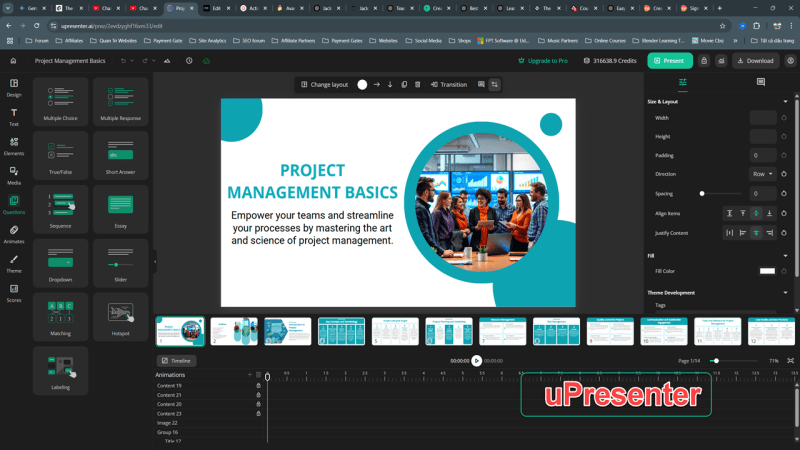
uPresenter is a modern, AI-powered eLearning platform designed to streamline the course creation process, making it exceptionally accessible for beginners. By leveraging artificial intelligence, uPresenter aims to simplify content generation and enhance the efficiency of building engaging online courses.
Why it’s great for beginners:
- AI-Assisted Content Creation: uPresenter utilizes AI to help generate course content, including text, quizzes, and even video scripts, significantly reducing the initial effort required for beginners.
- Intuitive Drag-and-Drop Interface: The platform offers a user-friendly, drag-and-drop interface for easy arrangement and customization of course elements.
- Rapid Video Creation: uPresenter often includes features for quickly creating video lessons, sometimes leveraging AI for script generation and automated video production.
- Ready-to-Use Templates: Beginners can benefit from pre-designed templates for various lesson types and interactions, accelerating the course development process.
- Cloud-Based Accessibility: As a cloud-based platform, uPresenter allows you to create and manage your courses from anywhere with an internet connection.
Key Beginner-Friendly Features:
- AI-powered content generation (text, quizzes, video scripts)
- Intuitive drag-and-drop interface
- Tools for rapid video creation
- Library of ready-to-use templates
- Cloud-based accessibility
Getting Started with uPresenter: Visit their website to explore trial options and introductory resources. Their emphasis on AI-driven simplicity can help beginners quickly get their courses off the ground.
5. iSpring Suite: Seamless PowerPoint Integration for Rapid Course Development
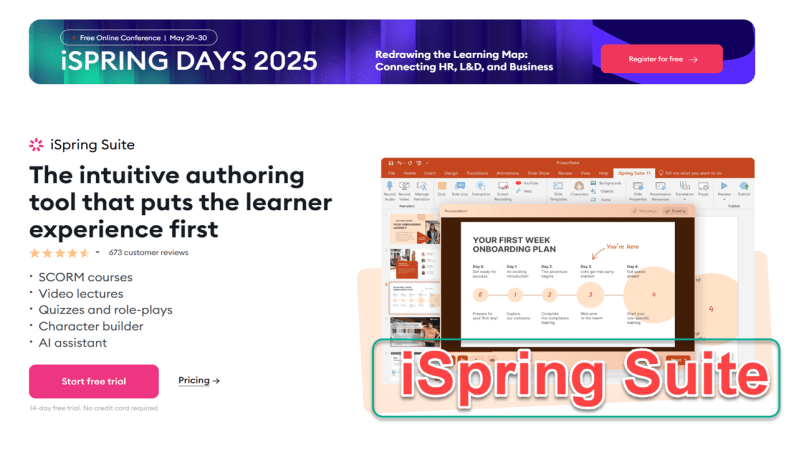
iSpring Suite is a powerful desktop-based authoring toolkit that seamlessly integrates with Microsoft PowerPoint. This familiar environment makes it particularly appealing for beginners who are already comfortable with PowerPoint and want to transform their presentations into interactive eLearning courses without a steep learning curve for a new interface.
Why it’s great for beginners:
- Familiar PowerPoint Environment: Creating courses within PowerPoint reduces the initial learning curve, as users work in an application they likely already know.
- Easy Conversion of Presentations: Quickly turn existing PowerPoint presentations into engaging eLearning with added quizzes, interactions, and narration.
- Simple Quiz and Assessment Creation: iSpring Suite makes it easy to add various types of quizzes and assessments to your courses with user-friendly tools.
- Versatile Recording Capabilities: Easily record audio and video narration directly within PowerPoint, synchronizing it with your slides.
- Free Version Available (iSpring Free): While the full suite is paid, iSpring offers a free version that allows you to convert PowerPoint presentations to online formats, which can be a good starting point for beginners.
Key Beginner-Friendly Features:
- Tight integration with Microsoft PowerPoint
- Easy conversion of existing presentations
- User-friendly quiz and assessment tools
- Integrated audio and video recording
- Free version for basic conversion
Getting Started with iSpring Suite: Download the free trial or the iSpring Free version to start exploring its capabilities within the familiar PowerPoint interface. Their website offers tutorials and guides to help you get started.
Choosing the Right Software for You:
The “best” course creation software ultimately depends on your individual needs and technical comfort level.
- If you want a powerful desktop solution with versatile recording and interactive capabilities, and you’re willing to explore its features, ActivePresenter is an excellent choice, especially with its free version.
- If you prioritize ease of use and getting your courses online quickly with a focus on hosting and sales, Thinkific is a great option.
- If you’re looking for a more robust platform with strong sales and community features, Learnworlds is worth considering.
- If your focus is on creating visually stunning course materials, AI power platform, uPresenter AI is a fantastic and user-friendly tool.
- If you prefer a PowerPoint plug-in, iSpring Suite is a viable starting point.
Your First Step:
We encourage you to explore the free versions or trials of these platforms to see which one feels most comfortable and aligns best with your course creation goals. Don’t be afraid to experiment and find the tool that empowers you to share your knowledge with the world!
Looking to experience the power of an all-in-one desktop authoring tool without breaking the bank? ActivePresenter offers a robust suite of features for creating interactive lessons, engaging quizzes, software simulations, and more – all at an affordable price point. Don’t settle for limited, browser-based solutions. Download ActivePresenter today and unlock the full potential of your eLearning content creation!
 Elearning Supporter
Leave a comment