Creating your very first eLearning course can feel like a big undertaking, but it’s a super rewarding process! If you’re ready to share your knowledge, train a team, or even launch a new online business, this guide is here to help. We’ll walk you through 12 clear steps, from shaping your initial ideas to confidently publishing your course. Plus, we’ll show you how ActivePresenter, a powerful eLearning authoring tool, can make building your course much easier, especially if you’re just starting out.
You might have amazing knowledge to share, but how do you turn that into an engaging, interactive online course? This is where a great authoring tool becomes indispensable. Think of it as your all-in-one workshop. Without the right tools, building a course would mean juggling multiple software programs for recording, editing, adding quizzes, and more. A powerful authoring tool streamlines this entire process, allowing you to focus on the content and learner experience rather than wrestling with technology. It empowers you to create professional-quality videos, interactive exercises, and compelling presentations, even if you’ve never built a course before. This means you can design effective and engaging learning materials quickly and efficiently, turning your vision into a reality.
If you’re just about to start creating eLearning content, this guide is definitely for you.
1. Define the Purpose and Target Audience of the Course
Before you start building anything, it’s smart to lay a strong foundation. This means understanding why you’re making this course and who it’s for.
- What will a learner be able to do after finishing the training? This question helps you figure out your learning objectives. Are your learners going to gain a new skill, master a specific concept, or change a certain behavior? Having a clear goal will guide every single step you take from here on out.
- Take a closer look at your prospective learners. Really understanding your audience is key. Think about what they already know, how they prefer to learn, what motivates them, and even what devices they’ll be using. This insight lets you make sure your course content and how you deliver it are perfectly tailored to their needs, making the whole learning experience much more relevant and effective for them.
2. Utilize a Learning Management System (LMS)
An LMS is basically your central command center for all your eLearning courses. It helps automate a lot of the tedious tasks, freeing you up to focus on your content. It helps automate many functions like invitations, course assignments, and results tracking. Imagine a system that automatically signs up your learners, gives them access to the right courses, and keeps tabs on their progress and quiz scores. This kind of automation saves a ton of time and effort, making the entire training process smoother and way more organized for everyone involved.
3. Equip Yourself with an eLearning Toolkit
To create courses that are truly interactive and look professional, you’ll definitely need the right software. A good, comprehensive eLearning toolkit gives you all the features you need to build dynamic content. You’ll need to create interactive courses with quizzes, videos, and dialogue simulations. A robust toolkit, like ActivePresenter, bundles various authoring tools all into one package. This means you can design engaging assessments, embed compelling videos, and even build realistic conversation scenarios, all from a single program. This integration really simplifies the entire development process.
Imagine you’re creating a software tutorial. With separate tools, you would first record your screen, then import that video file into an editor. After editing, you’d export the video and import it into another program to add a quiz. If you spot a mistake in the original recording, you have to start the entire multi-step process over again.
With ActivePresenter, this workflow is dramatically simplified. You can record your screen and have the video appear directly on a slide. From there, you can immediately add annotations, insert a knowledge check question on the very next slide, and edit the video on the timeline—all within the same project. This non-destructive workflow means you can go back and tweak any element at any time without having to re-import or re-export files, saving you an incredible amount of time and effort. The video shows you how to create your first eLearning course using ActivePresenter. It’s a good starting point for beginners:
4. Map Out the Course (Storyboard)
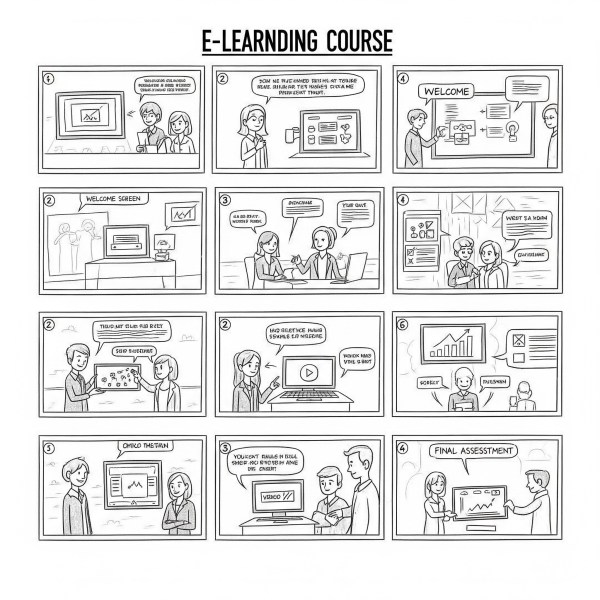
Think of your storyboard as the blueprint for your entire course. It’s where you plan out every single screen and interaction before you even start building it. This is a document, slide deck, or prototype where a digital training developer lays out the framework for the course. Your storyboard visually organizes all your content, showing exactly what text, images, videos, and interactive elements will appear on each “slide” or screen. It’s fantastic for making sure everything flows logically, catching any missing pieces, and helping you visualize the entire learner journey before you commit to building it out.
5. Write the Script
If your course is going to have narration or text on the screen, a well-written script is super important for keeping everything clear and easy to follow. This includes two main types: an on-screen text script and a narration script. The on-screen script is the text your learners will actually read on their screen – it should be short, sweet, and easy to scan. The narration script is what will be spoken aloud, whether it’s your voice or someone else’s. This step can be skipped if you are not going to include a voiceover. If your course is purely visual or just text-based without any spoken parts, you don’t necessarily need a narration script. But even for just visual content, having a clear on-screen text script is always a good idea.
6. Put All the Content Together
This is the exciting part where your storyboard and scripts finally come to life as you start assembling all the raw materials for your course. Use ActivePresenter to compile all content into the course, as it is a powerful tool with a familiar interface, making it very easy to start creating courses by populating slides with text, images, and videos according to your storyboard. One of the great benefits of ActivePresenter is its user-friendly design. If you’re comfortable with common presentation software, you’ll find it incredibly intuitive to add your text, insert images, embed videos, and arrange everything exactly as you planned in your storyboard. It transforms your ideas into a dynamic eLearning environment.
7. Record a Voiceover
Adding narration can really boost the learning experience, giving your content more context, clearer explanations, and a friendly, human touch. This is easy to do directly from ActivePresenter with its built-in audio recorder, allowing you to record your audio narration and easily sync it with animations and transitions on the slides. You won’t need any separate audio recording software. ActivePresenter lets you record your voice right into your course, and its features help you perfectly time your narration with text appearing, images popping up, or animations playing. This creates a really smooth and professional feel for your course.
Add to that, ActivePresenter includes amazing free text-to-speech function which you can use to convert text caption into voiceover if you want.
8. Utilize a Professional Video Studio
For creating dynamic visual content, especially if you’re showing how software works or speaking directly to the camera, a good video studio tool is essential. ActivePresenter includes a professional video studio that enables you to record your screen with a webcam and audio, providing all the necessary features to make professional-looking videos. This integrated studio within ActivePresenter is super helpful. You can record your computer screen to demonstrate software in action, simultaneously capture yourself speaking via your webcam, and record your audio. It also offers tools to edit and enhance these recordings, so you can produce polished video lessons right inside your authoring program.
9. Create Quizzes and Tests
Quizzes are a fundamental part of eLearning; they’re great for checking what learners have understood and helping them remember key ideas. These are primary tools for checking knowledge in eLearning. Quizzes do more than just test; they also give learners a chance to review and really solidify what they’ve learned. You can create quizzes with ActivePresenter’s robust quiz-making features, which offer a wide range of different question types. Having a variety of question types – like multiple choice, true/false, matching, and drag-and-drop – lets you assess understanding in different ways and keeps learners engaged with varied challenges.
10. Ensure Accessibility
Making your course accessible means ensuring that everyone, including people with impairments, can learn from it effectively. Create courses that comply with accessibility standards to make eLearning fully accessible for people with impairments. This means implementing features that allow screen readers to interpret your content, providing “alt text” for images so visually impaired learners know what they depict, and using layouts that are designed to be accessible. It’s all about making sure your course is inclusive for everyone.
11. Preview on Different Devices
Learners use all sorts of devices to access content these days, so it’s super important to make sure your course looks great no matter what they’re using. Ensure the content displays perfectly on every device type (PC, Mac, tablets, smartphones) by using the preview mode. Before you publish, always use your authoring tool’s preview function to see exactly how your course will appear on different screen sizes and operating systems. This helps you catch any display issues and make adjustments so all your learners have a consistent and optimal experience, no matter their device.
12. Publish the Course
The final step is to get your course out there and make it available to your learners! This involves exporting it in the right format for wherever it’s going to live. ActivePresenter allows you to publish content in several ways, including to your computer, to an LMS, or as HTML5. This flexibility means you can distribute your course in the way that best suits your needs. Whether you need a simple video file, a package for a learning management system (LMS), or content that runs directly in a web browser, ActivePresenter provides these diverse publishing options to get your course seen.
Ready to start building your very first eLearning course? With these steps and a powerful tool like ActivePresenter, you’re well on your way to creating something truly impactful!

 Elearning Supporter
Leave a comment