In 2025, AI image generation has moved from novelty to mainstream productivity. With advances in model accuracy, prompt-interpretation, commercial licensing and usability, creators from marketers to designers are leveraging text-to-image tools more than ever. But not all AI image generators are equal: some excel in realism, others in style flexibility, some in integration, licensing or cost. This article reviews five standout tools in 2025, explains what to look for when choosing one, and shows which might be best for you.
Of course, creating these stunning visuals is only half the battle. For the creators, marketers, and instructional designers leveraging this new technology, the next critical step is embedding these assets into a polished, professional project.
This is particularly true in the eLearning and corporate training space. That’s where a comprehensive authoring tool like ActivePresenter 10 becomes essential. It provides the robust platform needed to combine these AI-generated images with video, responsive design, complex interactions, and assessments—transforming static assets into fully interactive and engaging learning experiences.
What to look for in an AI image generator?
Before diving into specific tools, here are key criteria:
- Prompt adherence: how closely the generated image matches your text prompt.
- Image quality & resolution: realism, stylisation, 2K/4K support, etc.
- Control & customization: ability to tweak style, lighting, camera angle, upscaling.
- Commercial usage rights: licensing terms for using generated images in ads, products.
- Ease of use & integration: UI, plugins, API, export options.
- Cost & free tier: affordability, free credits, pay-as-you-go vs subscription.
Evaluations in 2025 show that the best tools tick most of these boxes. For example, one roundup cites prompt-adherence, controls and output quality as deciding factors.
Our top 5 picks for 2025
Here are five of the best AI image generators right now (in no particular order):
1. ChatGPT (GPT‑4o) by OpenAI
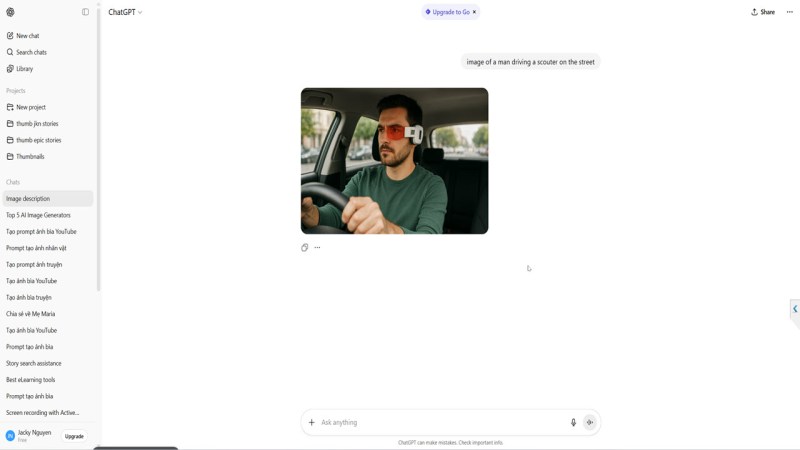
- Why it stands out: According to reviews, GPT-4o’s image generation feature integrated into ChatGPT is currently among the best overall, delivering high-fidelity, prompt-accurate images in a user-friendly chat interface.
- Key strengths: Works directly within ChatGPT (so you already have the interface), easy for non-technical users, good at detailed scenes. For example, one article says: “In comparative tests, it outperformed competitors … in photorealism and complex scene recreation.”
- Trade-offs: It may generate only single images per prompt (depending on plan), may impose usage limits in free tier, and some advanced controls may be limited compared to specialist tools.
- Best for: Creators who want a simple, integrated tool and already use ChatGPT; marketers needing quick visuals; non-designers wanting decent output with minimal setup.
2. Midjourney
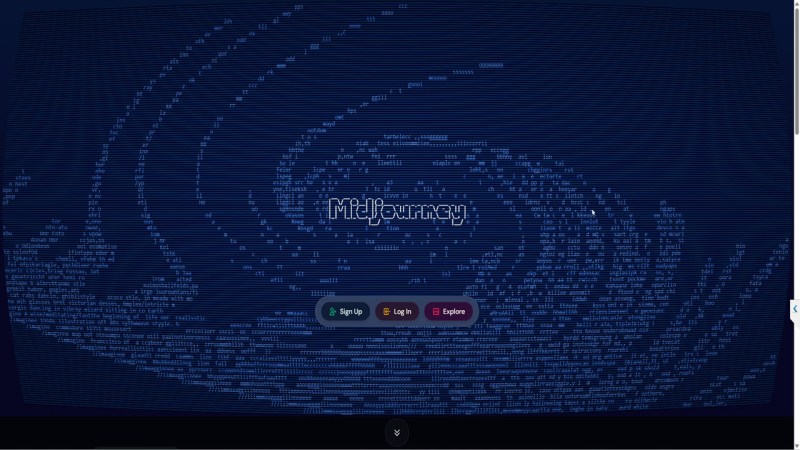
- Why it stands out: Long-time favourite among digital artists, Midjourney delivers stylised, high-quality images with strong creative flair. Referenced as one of the top tools in recent 2025 roundups.
- Key strengths: Rich style options, strong community prompts, excellent for concept art, illustration, creative experimentation.
- Trade-offs: Subscription pricing; may have a steeper learning curve (especially prompt-crafting); less focused on strict photorealism or commercial-safe licensing (depending on use case).
- Best for: Illustrators, concept artists, creative agencies, visual experimentation.
3. Adobe Firefly
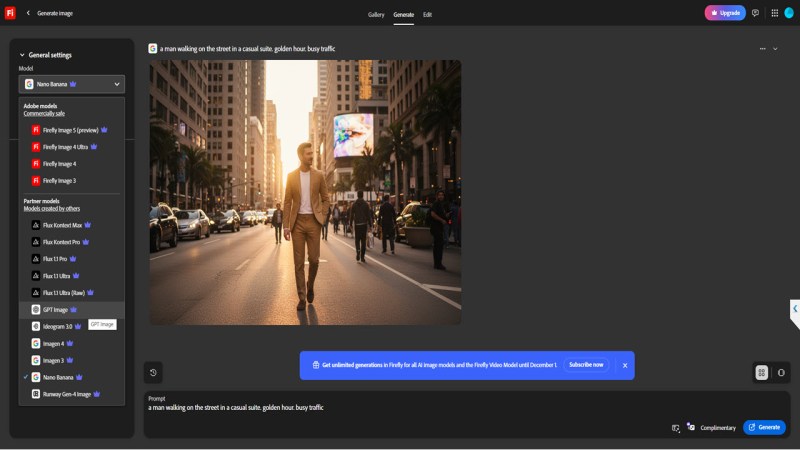
- Why it stands out: Integrated into the Adobe ecosystem (Photoshop, Illustrator, Express), Firefly is increasingly seen as the go-to when you need high-quality AI-generated images with commercial-safe licensing.
- Key strengths: Commercial-safe training data (Adobe emphasises that its model uses licensed/public-domain imagery). Good for professionals who already use Adobe tools.
- Trade-offs: While strong, some reviews say it’s not always the absolute top in “pure text-to-image” quality compared to niche specialist models.
- Best for: Designers, agencies, marketing teams who already operate in the Adobe ecosystem, and need reliable licensing and integration.
4. Ideogram (version 3.0+)
- Why it stands out: Ideogram is specifically noted for its ability to generate legible text within images (something many models struggle with) and for delivering consistent styles.
- Key strengths: Excellent for situations where you need text inside images (e.g., posters, ads, infographics); also quick, affordable. Free tier often available.
- Trade-offs: May not yet match the absolute top tier of photorealism or artistic flair compared to specialist tools like Midjourney.
- Best for: Marketers, content creators needing visuals with text, social-media visuals, thumbnail creation.
5. FLUX (FLUX.1 series by Black Forest Labs) / or open-model crowd
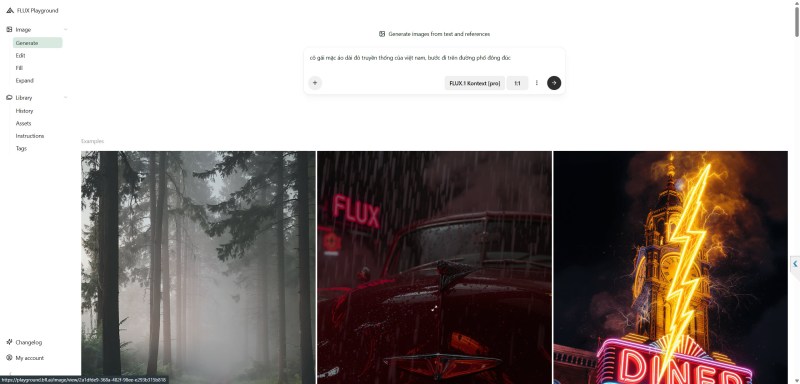
- Why it stands out: Among the newer wave of open or advanced text-to-image models, FLUX (the FLUX.1 series) is gaining attention for high customisation, control and quality.
- Key strengths: Many controls, strong output, good for advanced users wanting fine-tuning, prompts, editing capabilities (e.g., prompt-based image editing).
- Trade-offs: May require more technical know-how; perhaps less “plug-and-play” for casual users; licensing might vary by platform.
- Best for: Advanced users, illustrators, studios, those who want maximal control over style, editing, image composition.
Comparison Table (Quick Glance)
| Tool | Best For | Strength | Considerations |
| ChatGPT (GPT-4o) | Easy integrated image generation | High prompt adherence, simple use | Limited controls, cost may increase |
| Midjourney | Creative art / stylised visuals | Strong community, rich style options | Cost/subscription, learning curve |
| Adobe Firefly | Professional design + licensing | Integration + commercial-safe output | Slightly behind niche top in pure quality |
| Ideogram | Text-inside-image, social visuals | Affordable, good text rendering | Slightly less in extreme realism |
| FLUX | Advanced control / editing | High customisation, open replace/edit | More complex, may require technical skill |
Tips for best use & prompt-crafting
- Write a clear, descriptive prompt: subject + style + background + lighting + colour palette. Many blogs recommend this format.
- Use the model’s style or reference features: e.g., Midjourney has style references; Ideogram has batch or character features.
- Upscale or edit the generated image (many tools offer built-in upscaling).
- Check licensing/usage rights: especially if using images for commercial campaigns.
- Experiment: try multiple tools, compare output for your use-case (e.g., social media visuals vs photorealistic prints).
- Efficient workflow tip: For example, generate a base image in one tool (fast, cheap) then refine/edit in another (premium, high-quality) if budget allows.
Final Thoughts
The year 2025 is a turning point for AI image generation. The tools listed above show that text-to-image is no longer gimmick: it’s a real creative production tool. Whether you are a content creator, marketer, designer or just experimenting, there’s now a tool suited to your workflow.
If I were to pick one “all-rounder” for most users, I’d lean towards ChatGPT’s image generation (GPT-4o) for ease + quality. If you’re more into style and creativity, Midjourney. If you’re working professionally and need predictable commercial-safe output, Adobe Firefly. If you need text in images, Ideogram is excellent. And for advanced users, FLUX gives the power.
In short: pick based on your needs (style, budget, licensing, integration) not on hype alone. Try a few—most tools have free tiers—and see which fits your workflow. The future of visual creation is here.
 Elearning Supporter
Leave a comment