25% Off PowerDirector 16 Ultra discount coupon code. Normal price was $99.99. Now is $74.99 only. Save $25 with our code. Valid December 31st 2019.
25% Off PowerDirector 16 Ultra Coupon Code
We write software reviews. We share our thoughts about software. We make your life easier.
25% Off PowerDirector 16 Ultra discount coupon code. Normal price was $99.99. Now is $74.99 only. Save $25 with our code. Valid December 31st 2019.

20% Off Filmora Video Editor For MAC coupon code. Save $10 with our code. Normal price was $49.99. Now is $39.99 only. Valid until December 31st 2019.

20% Off Wondershare Filmora Video Editor Discount Coupon Code. Buy Now at $39.99 only. Normal license was $49.99. Coupon valid December 31st 2019.

Creating a new timeline give you more control on the project especially when you have various events and actions to be execute during the course. ActivePresenter is a powerful e-learning authoring software that allows you to edit in multiple timeline. Watch this tutorial video to learn how to add new timeline in ActivePresenter 7.
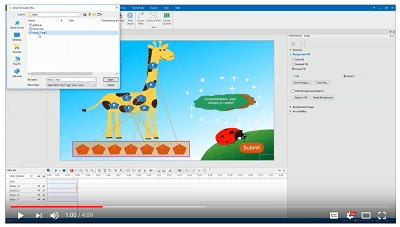
ActivePresenter is an all-in-one powerful e-learning authoring tool which is capable of doing everything related to e-learning. In this tutorial video, you will learn 3 ways to add audio to your video/ project in ActivePresenter 7.
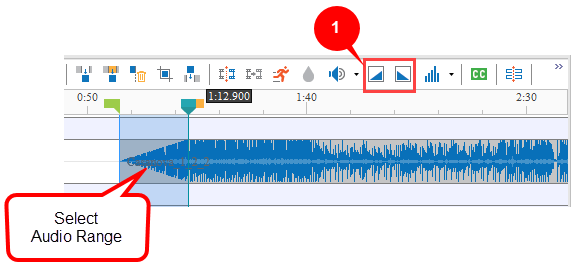
ActivePresenter 7 is a powerful e-learning authoring tool which provides a built-in video editor to polish you video project. With its audio tools, you can fade in and fade out your background music easily. Learn how to do that in this short video tutorial.
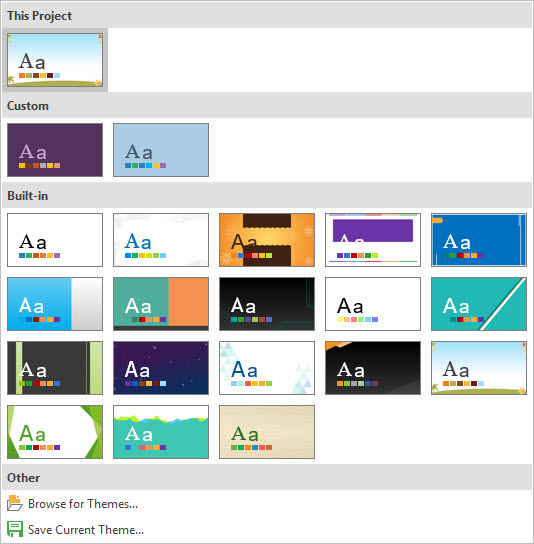
If you don't have prior experience in developing an e-learning course, starting with a pre-made themes in ActivePresenter is a good way to kick off. ActivePresenter is a powerful e-learning authoring tool that provides dozen of themes to use for your course. Learn how to choose a theme in ActivePresenter in this tutorial video.

Project size (or slide size) defines the dimension of your project. It affects your output when you export your project in video formats or HTML5. In ActivePresenter 7, you should always change the project size according to your requirements before starting doing anything to save time. To do that, take a look at this video tutorial.

Responsive e-learning courses allow learners to access from any device. It's also help you save time in e-learning development since you have to create only 1 version that runs on all platforms. ActivePresenter is a powerful e-learning authoring tool that helps you do it quickly. Learn how to to create responsive e-learning course from this video tutorial.

Making use of object templates can save you tons of time in developing your e-learning courses. With a professional and powerful e-learning authoring tool like ActivePresenter, it's possible to create and re-use your object templates during the development. Take a look at this video tutorial to learn how to do that in ActivePresenter 7.

