So you created your first e-learning course and want to export it into SCORM and wondering why would you have to do that, right? Check out this great explanation tutorial video we found on YouTube. It's worth your 1 hour watching!
Before Making A Screencast: Watch These Tips
Making a screencast is a perfect way to train others about how to use a software, a product or service in your niche. Before you try to make your first screencast, watch these amazing screencast tips from the industry leading company - TechSmith.
How To Add Motion Paths In ActivePresenter
Adding motion paths in ActivePresenter is a useful ways to grad your audience attention in how-to tutorials and online training courses. It's easy to add and edit motion paths in various forms by ActivePresenter 7. Let's learn how to do that in this short tutorial video.
How To Create Question Pools In ActivePresenter 7
Question pool contains a number of questions or quizzes which are going to be used to randomize the order of questions in a quiz. It is crucial for e-learning course design when you wish to reuse questions for different purposes. You know that ActivePresenter can help you do such things quickly, right? Let's learn how to create question pools in ActivePresenter 7 from this tutorial videos.
How To Customize Hotkeys In ActivePresenter 7
If you are using ActivePresenter 7, you know that this software allows you to customize hotkeys for your favorite actions such as take screenshot, start and stop recording, open a new project, save project and so on. Each person has their favorite hotkey, let's learn how to customize hotkeys in ActivePresenter 7 in this tutorial video - from Atomisystem YouTube channel.
How To Create New Timeline In ActivePresenter
Creating a new timeline give you more control on the project especially when you have various events and actions to be execute during the course. ActivePresenter is a powerful e-learning authoring software that allows you to edit in multiple timeline. Watch this tutorial video to learn how to add new timeline in ActivePresenter 7.
How-To: 3 Ways To Add Audio Into Video With ActivePresenter
ActivePresenter is an all-in-one powerful e-learning authoring tool which is capable of doing everything related to e-learning. In this tutorial video, you will learn 3 ways to add audio to your video/ project in ActivePresenter 7.
How To Fade In/Out Background Music In Video With ActivePresenter 7
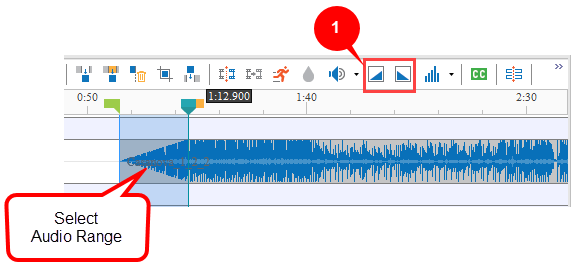
ActivePresenter 7 is a powerful e-learning authoring tool which provides a built-in video editor to polish you video project. With its audio tools, you can fade in and fade out your background music easily. Learn how to do that in this short video tutorial.
How To Design Your First E-learning Course With Themes In ActivePresenter 7
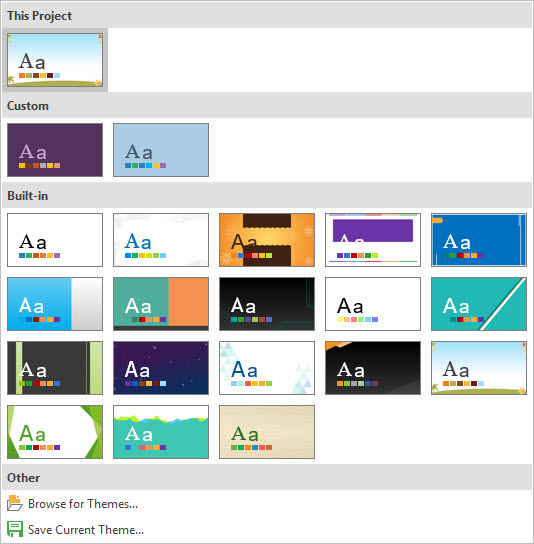
If you don't have prior experience in developing an e-learning course, starting with a pre-made themes in ActivePresenter is a good way to kick off. ActivePresenter is a powerful e-learning authoring tool that provides dozen of themes to use for your course. Learn how to choose a theme in ActivePresenter in this tutorial video.
How To Change Project Size In ActivePresenter 7
Project size (or slide size) defines the dimension of your project. It affects your output when you export your project in video formats or HTML5. In ActivePresenter 7, you should always change the project size according to your requirements before starting doing anything to save time. To do that, take a look at this video tutorial.