If you’ve ever spent a Saturday afternoon bouncing between five different “top authoring tool” listicles trying to figure out which one actually fits your budget and workflow, you’re not alone. Most comparison articles are written by marketers who’ve never opened the software they’re recommending. This one isn’t — it’s built from real evaluation criteria that educators, trainers, and business owners actually care about: cost, learning curve, SCORM compliance, and whether the tool still works the way you need it to a year from now.
The e-learning landscape in 2026 is louder than ever. Every legacy platform has slapped an “AI-powered” badge onto its homepage, and dozens of new micro-learning apps pop up monthly promising to build full courses in three clicks. But when you’re staring down a tight deadline to deliver a compliant corporate training module or an engaging university course, slick marketing videos don’t help.
What actually matters is whether the software freezes when importing custom media, whether exported SCORM packages play nicely with your LMS without broken tracking, and whether your team needs a month-long training program just to navigate the interface.
To strip away the hype, we gathered feedback from over 150 instructional designers, higher-ed educators, and corporate L&D leads. We evaluated each platform based on a standardized build test — creating an interactive module with branching scenarios, media assets, and accessibility features — scoring them across five core pillars:
- Learning Curve vs. Interactivity Depth: Can a beginner build a solid course in an afternoon without hitting a hard ceiling when complex interactions are needed?
- LMS Compatibility & Standards: Rock-solid export support for SCORM 1.2, SCORM 2004, xAPI, and cmi5.
- Accessibility Standards: Native support for WCAG 2.2, screen readers, and keyboard navigation.
- Pragmatic AI vs. Gimmicks: AI features that actually save time (like localized voiceovers or automated captioning) rather than generating generic, unusable content.
- Total Cost of Ownership: Transparent pricing without sudden tier limits or hidden per-seat fees when your team scales.
Whether you’re a solo course creator on a tight budget, an instructional designer needing heavy-duty desktop power, or an enterprise team looking for seamless cloud collaboration, this breakdown cuts through the noise.
Here are the 7 authoring tools that earned their place in 2026 — ranked by the people who actually use them every day.
What Is an eLearning Authoring Tool (and Why It Matters More in 2026)
An eLearning authoring tool is software that lets you build interactive courses — quizzes, simulations, branching scenarios, video lessons — and package them into standards like SCORM or xAPI so they run properly inside any LMS. In 2026, the stakes are higher than ever: hybrid workforces need faster onboarding, schools are digitizing more content, and AI-assisted authoring is quickly becoming the baseline expectation rather than a nice-to-have.
The problem most buyers run into isn’t a lack of options — it’s too many of them, each with a different pricing model, learning curve, and feature ceiling.
How We Evaluated These Tools — Our Ranking Criteria
To keep this ranking honest and useful, every tool below was assessed against the same five criteria:
- Ease of use — Can a non-technical trainer pick it up in a day?
- SCORM/xAPI compliance — Does it export standards-compliant packages that behave correctly in an LMS?
- Pricing model — Subscription trap vs. perpetual license vs. free/open-source?
- Media & simulation capability — Screen recording, video editing, and interactivity depth.
- AI & future-readiness — Does the tool support AI-assisted content creation or agent integrations?
With that framework in place, here’s how the top 7 stack up.
Top 7 Best eLearning Authoring Tools in 2026: Ranked by Educators
1. ActivePresenter (Atomi Systems)
Best All-in-One Tool for Simulations & Long-Term ROI
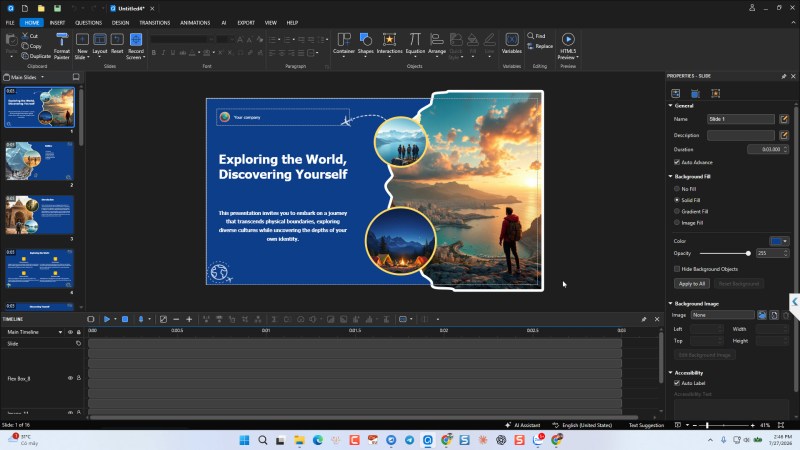
Overview: If Camtasia and Articulate Storyline had a highly efficient, budget-conscious baby, it would be ActivePresenter. In a 2026 landscape dominated by lightweight cloud apps that inevitably lag under heavy media, this tool stands out as a true desktop powerhouse that hasn’t forced its users into a relentless subscription model. By merging professional screen recording, a non-destructive video editor, and a highly capable interactive authoring suite into a single application, it acts as a workhorse built for heavy lifting. Because it operates entirely locally, it delivers flawless multi-track audio and 4K video rendering without browser latency, making it heavily favored by healthcare, financial, and government institutions that require absolute data privacy for their sensitive training materials.
Beyond its one-time payment appeal, ActivePresenter commands respect for high-end eLearning capabilities that directly rival Storyline’s complexity. Creators can build highly personalized, gamified branching scenarios using built-in variables and conditional triggers without writing a single line of code. It also takes the headache out of modern compliance by utilizing native FlexBox layouts—ensuring your courses scale perfectly from ultrawide monitors to smartphones—alongside robust WCAG accessibility features like integrated closed captioning and screen reader support. Ultimately, it is designed for professionals who demand granular control over every pixel, trigger, and timeline without wanting to rent their software forever.
Key Features:
- Smart Screen Recording: Automatically captures mouse clicks, keystrokes, and screen changes, converting them into interactive slides.
- Advanced Video Editing: Full timeline editing with green screen (chroma key), audio noise reduction, and object animations directly within the app.
- Deep Interactivity: Multi-state objects, complex variables, branching scenarios, and responsive design capabilities.
- Broad Export Options: SCORM (1.2, 2004), xAPI, cmi5, HTML5, and standard video formats.
Pros & Cons:
- Pros: Incredible value for money (you pay once and own the version); eliminates the need to buy a separate video editor; exceptionally strong software simulation tools.
- Cons: The interface is dense and can feel overwhelming at first glance; it lacks the massive, built-in stock asset libraries found in pricier competitors.
Pricing:
- Standard Edition: $249 (Perpetual license – best for video and basic eLearning).
- Pro Edition: $499 (Perpetual license – unlocks full HTML5/SCORM/xAPI authoring).
- Note: Free version available for non-commercial use with full features (adds a watermark to exports).
Who is it for: Solo instructional designers, mid-sized L&D teams watching their budgets, and technical trainers whose primary focus is software simulations and video-heavy modules.
2. Articulate 360
Best for Corporate Teams with Big Budgets
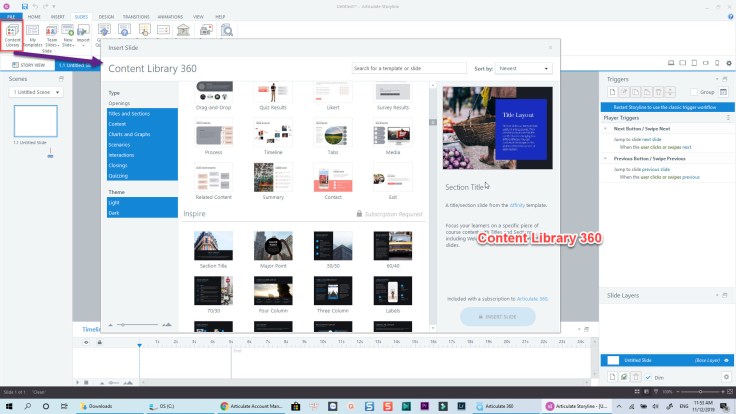
Overview: Articulate 360 remains the undisputed industry heavyweight, largely because it offers a dual-threat approach that covers almost every instructional design need. You get Rise 360 for rapidly building beautiful, fully responsive, block-based courses directly in your browser, alongside Storyline 360 for developing highly customized, complex, slide-based interactions on your desktop. Backed by a massive, continuously updated stock asset library and seamless stakeholder collaboration through Review 360, it has cemented itself as the safe, default choice for enterprise corporate environments. It delivers unmatched polish, immense community support, and rapid scaling capabilities—if you can stomach the invoice.
However, this sheer power comes with a steep, recurring price tag that makes it a heavy financial burden for independent designers and budget-conscious L&D departments. At well over $1,000 per user every single year, the mandatory subscription model locks you into a relentless cycle where halting payments means losing access to your authoring environment entirely. When stacked against ActivePresenter, Articulate’s long-term return on investment falls significantly short. While Articulate wins on cloud convenience and built-in templates, teams needing deep, variable-based interactivity and robust video editing often realize that ActivePresenter delivers the exact same heavy-lifting capabilities through a one-time perpetual license, freeing them from crushing annual fees.
Key Features:
- Rise 360 & Storyline 360: The perfect combo of speed (Rise) and custom power (Storyline).
- Content Library 360: Millions of royalty-free images, icons, and customizable character sets.
- Review 360: A game-changing collaboration tool that lets stakeholders leave comments directly on specific course frames.
Pros & Cons:
- Pros: Unmatched community support (E-Learning Heroes); extremely fast deployment with Rise; the industry standard, making it easy to hire freelancers who know the software.
- Cons: Eye-watering price tag; no monthly billing option; Storyline is Windows-only (Mac users must run Parallels or a virtual machine).
Pricing:
- Roughly $1,099 to $1,400+ per user/year (depending on individual vs. team plans). Billed annually only.
Who is it for: Enterprise L&D departments, instructional design agencies, and corporate teams where high-end polish, collaboration, and rapid scaling are more important than keeping software costs low.
3. Adobe Captivate
Best for Immersive & VR Training
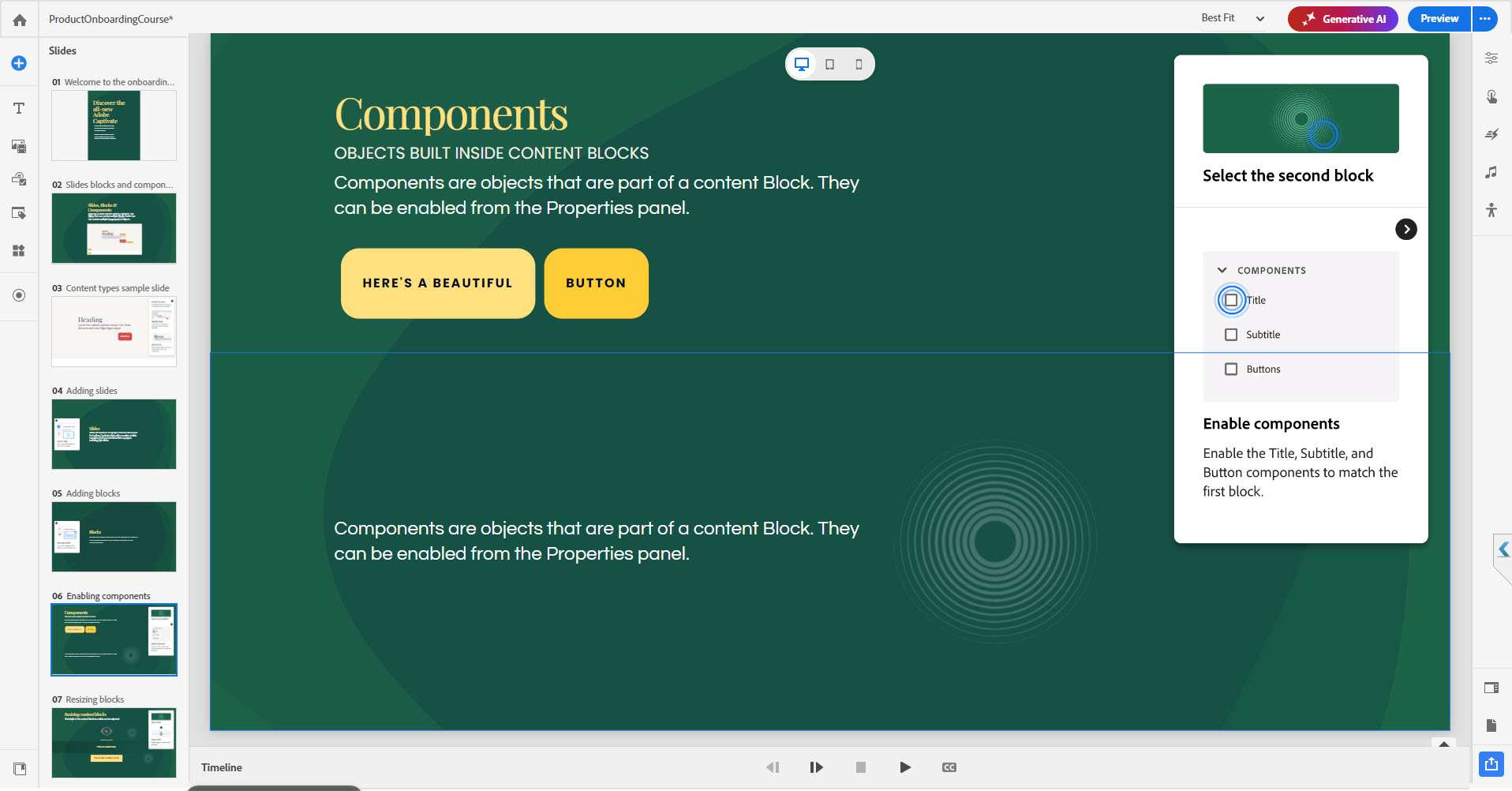
Overview: For years, Adobe Captivate carried a polarizing reputation within the L&D community: it was undeniably powerful but notoriously clunky and intimidating to navigate. However, the modern, completely overhauled version—often referred to as “Project Charm” or Captivate 12 and beyond—has stripped away much of that legacy bloat. It introduces a radically streamlined, intuitive interface that makes rapid development significantly easier without sacrificing its heavy-hitting technical capabilities. Rather than forcing designers to wrestle with dense menus, the updated platform relies on responsive design blocks and quick interactive widgets that automatically adapt to any screen size, establishing it as a highly capable environment for producing complex, immersive learning experiences.
Where Captivate truly separates itself from the rest of the market is its native, out-of-the-box support for Virtual Reality (VR) authoring. It allows instructional designers to effortlessly build 360-degree walkthroughs, virtual tours, and interactive safety hazard simulations—a feature most competitors still require third-party workarounds to achieve. When you combine this immersive capability with its deep, seamless integration into the broader Adobe Creative Cloud ecosystem, allowing assets from Photoshop and Illustrator to sync perfectly, Captivate becomes a formidable tool. While it still demands a steeper learning curve than some of its cloud-based rivals and operates on a strict subscription model, it remains the premier choice for advanced developers pushing the boundaries of spatial learning and technical compliance.
Key Features:
- Immersive Learning: 360° media support allowing you to build VR walkthroughs, virtual tours, and safety hazard simulations.
- Fluid Boxes: Advanced responsive design that automatically rearranges content for desktop, tablet, and mobile viewing.
- Widget Ecosystem: Quick drag-and-drop interactive widgets (timelines, flashcards) to speed up development.
Pros & Cons:
- Pros: Best-in-class for VR and 360° training; deeply integrated with Adobe Creative Cloud (Photoshop, Illustrator, Fonts); powerful responsive design.
- Cons: Still has a steeper learning curve than Articulate; software simulation updates can sometimes feel heavy on system resources; subscription-only.
Pricing:
- Approximately $34 to $40 per month (depending on annual vs. monthly commitments).
Who is it for: Advanced instructional designers, technical trainers handling complex compliance or safety training, and teams already entrenched in the Adobe Creative Cloud ecosystem.
4. iSpring Suite
Best for PowerPoint-First Trainers
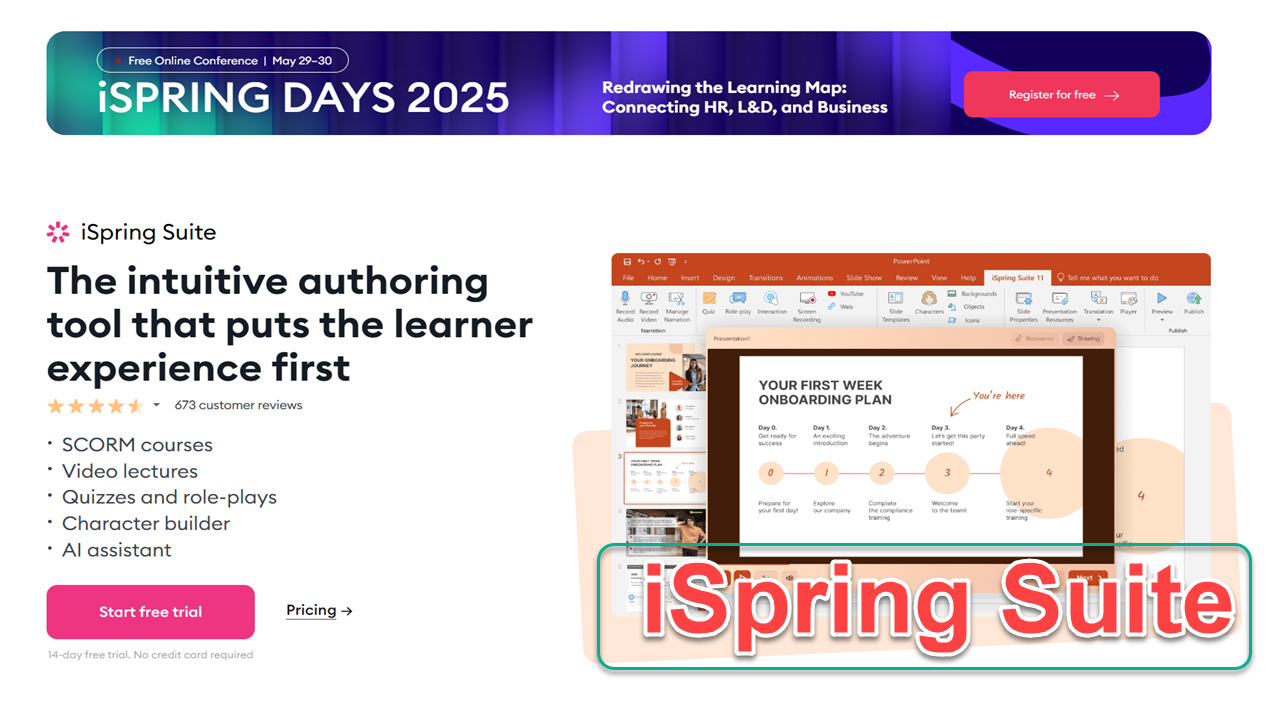
Overview: Let’s be honest: in many organizations, subject matter experts (SMEs) and HR managers refuse to leave Microsoft PowerPoint. iSpring Suite leans into this reality. Instead of forcing you to learn a new interface, iSpring installs directly as a tab inside PowerPoint, allowing you to turn standard slide decks into SCORM-compliant eLearning modules with quizzes and interactions in minutes.
Key Features:
- Native PowerPoint Integration: If you know PPT, you know 90% of iSpring.
- Role-Play Builder: A highly visual dialogue tree builder for creating branching communication simulations.
- QuizMaker: 14 different question types with detailed feedback and branching logic.
- Text-to-Speech: Built-in AI voiceovers for quick audio generation.
Pros & Cons:
- Pros: Virtually zero learning curve for office staff; flawless conversion of PowerPoint animations to HTML5; excellent dialogue simulator.
- Cons: Completely dependent on PowerPoint (you must have a Windows PC and a MS Office license); surprisingly expensive for what is technically a plugin.
Pricing:
- iSpring Suite starts at $770/year, but the more useful “Max” version (which includes the asset library and collaboration tools) is $970/year.
Who is it for: Subject Matter Experts (SMEs), HR departments, and corporate trainers who have massive archives of PowerPoint decks that need to be modernized and tracked in an LMS immediately.
5. uPresenter
Best AI-Powered Authoring + Built-in LMS for Quick Delivery
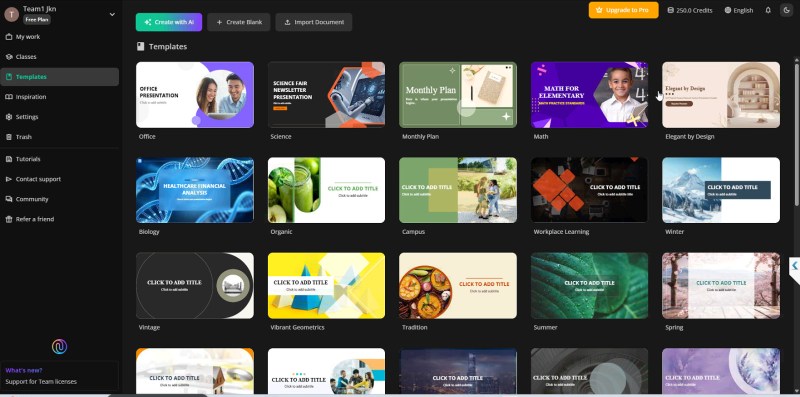
Overview: uPresenter bridges the gap between course authoring and learning management. Unlike traditional desktop authoring tools that require you to export SCORM files to an external LMS, uPresenter combines an AI-driven authoring platform with a lightweight built-in LMS. It is designed specifically for educators, HR professionals, and course creators who want to instantly generate, deliver, and track interactive learning materials from a single, cloud-based workspace.
Key Features:
- Integrated Platform: A seamless blend of a pro authoring tool and a digital classroom. You can design presentations, share them, and organize content into a course-like flow without juggling multiple software systems.
- AI-Powered Assistant: Built-in AI tools allow you to instantly generate entire presentations from scratch (or from PPTX/DOCX/PDF imports), automatically create quizzes, generate AI images in various styles, and convert text to speech.
- Tracking & Analytics: Easily assign lessons to your class and monitor real-time student activity, completion status, and detailed quiz scores directly on the platform.
- Seamless Collaboration & Export: Offers real-time collaborative editing with your team. If you ever need to use an external system, you can export your modules to xAPI, PDF, or image formats.
Pros & Cons:
- Pros: Incredibly affordable and easy to use; solves the creation, hosting, and tracking puzzle simultaneously; powerful AI features save hours of manual design work; no complex LMS setup required.
- Cons: Visual customization and templates are somewhat basic compared to heavy-duty desktop tools (like its sibling software, ActivePresenter); heavy reliance on an AI credit system requires users to monitor their generation usage.
Pricing:
- Starts with a generous Free plan (includes 250 AI credits and basic analytics). The Pro plan is highly affordable at just $5/seat/month ($48/year), which unlocks advanced tracking, xAPI export, 5GB storage, and 1,000 AI credits per month. Pay-as-you-go credit packages are also available.
Who is it for: Teachers, online educators, HR managers, and instructional designers looking for a budget-friendly, all-in-one solution to rapidly create, share, and track training modules without the hassle of setting up a traditional LMS.
6. eXeLearning
Best Free Tool for Educators & Academic Institutions
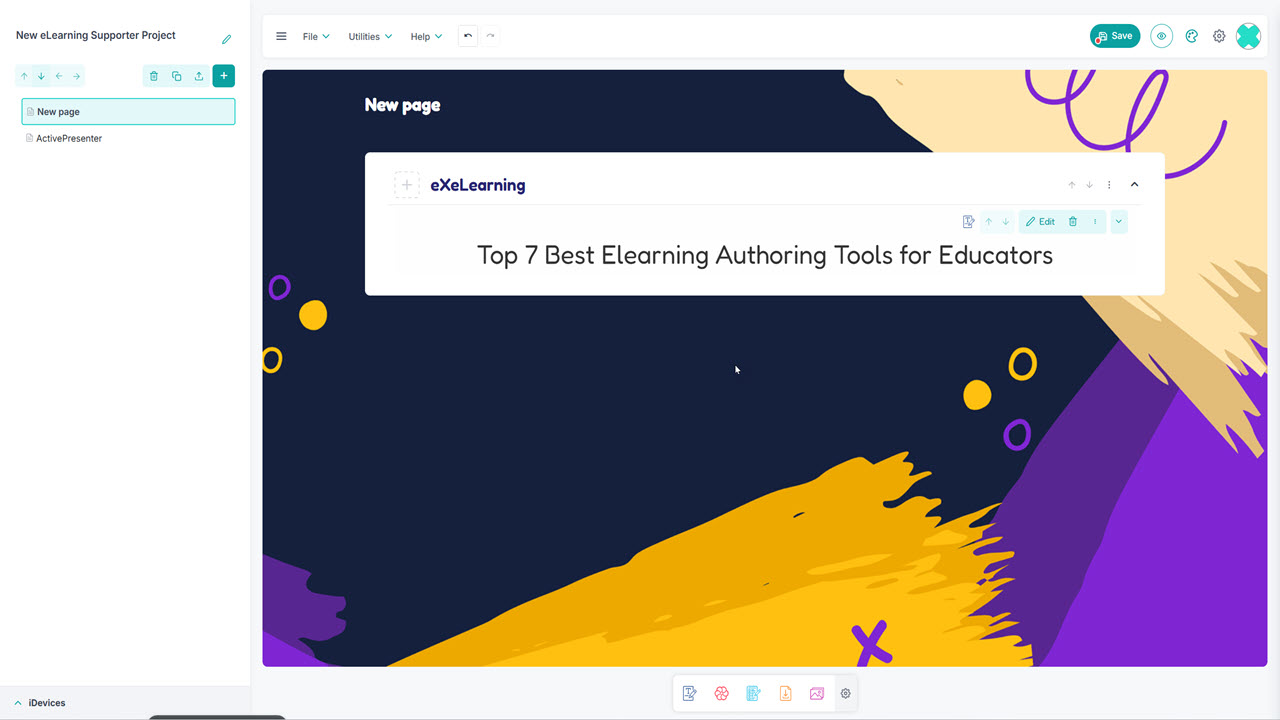
Overview: While corporate budgets can absorb heavy subscription fees, public schools, NGOs, and university educators often operate on zero-dollar software budgets. eXeLearning is an open-source, offline authoring tool that has survived the test of time by focusing purely on pedagogical structure rather than flashy marketing. It allows teachers to build structured web content and export it to their school’s LMS.
Key Features:
- iDevices: Pre-built instructional blocks (reading activities, multiple-choice, true/false, fill-in-the-blanks) that are easy to drop into a page.
- Cross-Platform: Works locally on Windows, macOS, and Linux without needing an internet connection.
- Standardized Exports: Exports to SCORM 1.2/2004, IMS Common Cartridge, and EPUB3.
Pros & Cons:
- Pros: 100% free and open-source; respects privacy (offline authoring); highly structured around academic teaching methods.
- Cons: The user interface looks like it belongs in 2012; output designs are fairly basic without custom CSS knowledge; no native video editing capabilities.
Pricing:
- Completely Free (Open Source).
Who is it for: K-12 teachers, university professors, NGOs, and instructional designers in developing regions who need reliable, free, offline authoring capabilities.
7. H5P
Best Free Tool for Interactive Content Nuggets
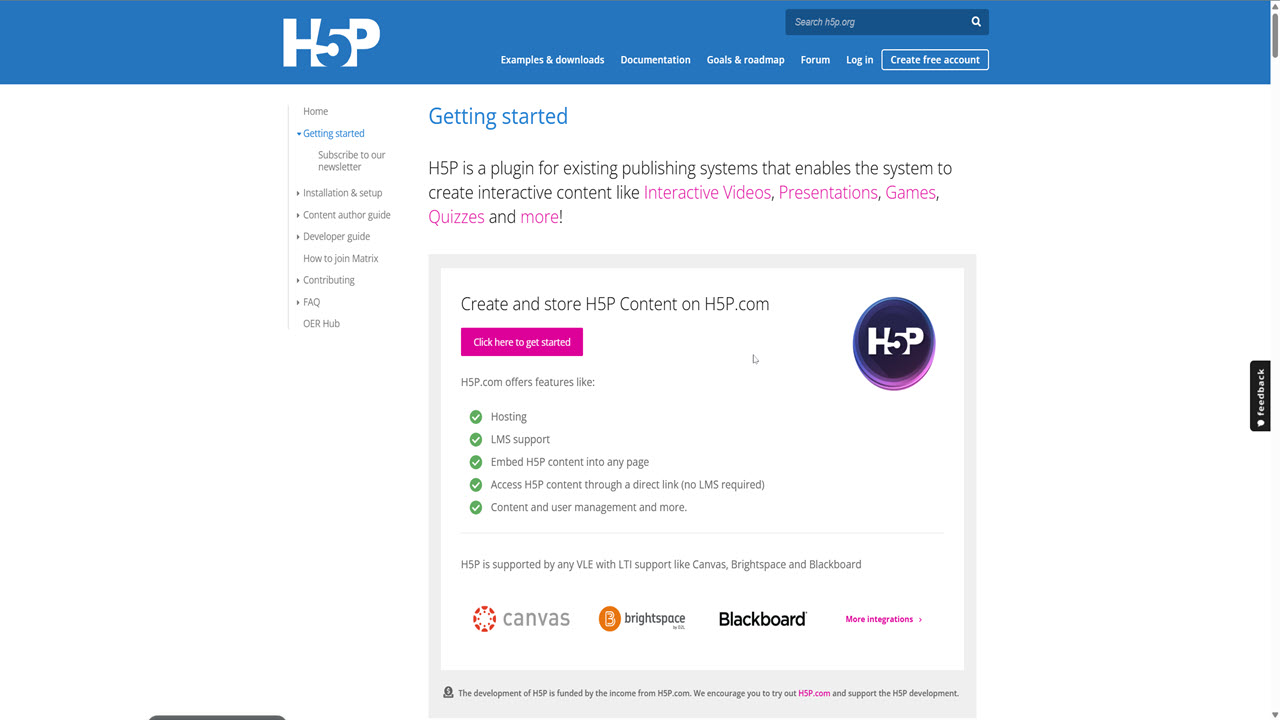
Overview: H5P isn’t a traditional authoring tool that builds full, monolithic courses. Instead, it’s an open-source framework designed to create rich, interactive “nuggets” of content—like interactive videos, memory games, branching scenarios, and drag-and-drop tasks. It is designed to be embedded directly into platforms like WordPress, Moodle, Canvas, or Blackboard.
Key Features:
- 50+ Interaction Types: From interactive timelines to hotspots and complex branching scenarios.
- Seamless LMS Integration: Works as a native plugin in popular open-source platforms (WordPress, Drupal, Moodle).
- Mobile First: Content is inherently responsive and looks great on smartphones.
Pros & Cons:
- Pros: Incredible variety of interaction types; massive open-source community sharing templates; free to use via CMS plugins.
- Cons: It’s a content creator, not a full course structural tool; getting deep SCORM tracking out of H5P can be tricky unless you use a heavily configured LMS or pay for their premium SaaS hosting (H5P.com).
Pricing:
- Free: If you self-host via plugins on WordPress/Moodle/Drupal.
- H5P.com (SaaS): Starts around $70/month for institutions needing dedicated hosting, support, and LTI integrations.
Who is it for: WordPress site owners, Moodle administrators, micro-learning advocates, and educators who want to inject highly engaging, interactive elements into their existing web pages or LMS without building full SCORM packages.
How to Choose the Right eLearning Authoring Tool for You
With seven strong options above, the “best” tool isn’t universal — it depends on your budget, your skill level, and the kind of content you’re building. Here’s how to narrow it down fast.
Start with your budget model. If you hate the idea of a recurring bill that never stops, ActivePresenter and eXeLearning are your only true perpetual/free options here — pay once (or nothing) and keep the software forever. If your organization already budgets for annual SaaS subscriptions and values constant feature updates, Articulate 360, Adobe Captivate, or iSpring Suite fit that model better. Run the 3-year total cost, not just the sticker price — a $499 one-time license looks very different next to $1,400/year for three years.
Match the tool to your technical comfort level. Complete beginners or non-technical trainers should start with uPresenter or Articulate Rise — both are built to get a decent-looking course online in an afternoon. If you’re comfortable with variables, triggers, and timelines, ActivePresenter and Storyline 360 unlock a level of interactivity the beginner-friendly tools can’t touch.
Think about your content type first, not the software. Heavy on screen recordings, software simulations, or video editing? ActivePresenter is purpose-built for exactly this. Converting existing PowerPoint decks? iSpring Suite installs right inside PowerPoint and gets you there fastest. Need VR, 360° environments, or spatial training? Adobe Captivate is the only tool on this list with native support. Want to drop a single interactive video or quiz into an existing webpage or LMS course, without building a full module? H5P does that one job better than anything else here.
Check what’s already in your stack. If you don’t have an LMS yet, uPresenter’s built-in LMS solves two problems with one tool. If you already run Moodle, WordPress, or another LMS, H5P and eXeLearning plug in natively without extra licensing. And if compliance tracking is non-negotiable — cmi5, strict xAPI, detailed completion data — verify the exact export format your LMS requires before you buy anything; not every “SCORM support” claim behaves the same way once packages are actually imported.
A quick rule of thumb: if you only remember one thing, pick based on what you’ll be building most — video and simulations point to ActivePresenter, PowerPoint conversions point to iSpring, corporate polish at scale points to Articulate, and free/academic use points to eXeLearning or H5P.
Frequently Asked Questions
What’s the difference between an eLearning authoring tool and an LMS?
An authoring tool is where you build course content — slides, quizzes, branching scenarios, video. An LMS (Learning Management System) is where that finished content gets hosted, assigned to learners, and tracked. Most authoring tools export SCORM or xAPI packages that you then upload to a separate LMS; uPresenter is an exception, since it bundles both in one platform.
Is ActivePresenter really free to use?
Yes — the free version has the full feature set with no time limit, but exports carry a watermark and are limited to non-commercial use. For commercial or unwatermarked output, you’ll need the Standard ($249) or Pro ($499) perpetual license.
Do I need SCORM, xAPI, or cmi5 — and does it actually matter which one I pick?
It depends on your LMS. SCORM (1.2 or 2004) is the oldest and most widely supported standard, but it tracks limited data and struggles with mobile or offline learning. xAPI (Tin Can) can track almost any learning activity, including outside the LMS. cmi5 combines xAPI’s tracking power with SCORM-like structure. If you’re not sure, check your LMS documentation first — building content in a format your LMS can’t import correctly is a common and costly mistake.
Which eLearning authoring tool is best for someone with zero experience?
uPresenter and Articulate Rise 360 have the shortest learning curve — both are designed to get a working course published in a single afternoon. iSpring Suite is also a strong beginner option if you’re already comfortable in PowerPoint.
Can I really turn a PowerPoint deck into a full eLearning course?
Yes. iSpring Suite installs as a tab inside PowerPoint and converts existing slides, animations, and narration into a SCORM-compliant module with added quizzes and interactions. Articulate 360 and ActivePresenter can also import PowerPoint files, though the conversion is less “native” than iSpring’s.
Which tool should I use for VR or 360° training?
Adobe Captivate is currently the only tool on this list with native, out-of-the-box VR and 360° media support — you can build walkthroughs, virtual tours, and hazard simulations without third-party plugins.

