Camtasia 2025 was released few weeks ago. And you may wonder if you should upgrade to this latest version or not? This is the right article for you!
In this post, I will share with you what’s new in Camtasia 2025 and my honest thoughts about these new features as well as some recommendations for you as an experienced user of Camtasia.
First off, here are the list of new features in Camtasia 2025 as well as brief introduction of the software from TechSmith, owner of the software.
List of new features in Camtasia 2025:
- AI Noise Removal
- New Cursor Effects
- Dynamic Caption Editing
- PiP Camera Preview (Windows)
- Avatar Generation
Overall, the new features of Camtasia 2025 didn’t impress me much when I first tried the software. Most of the features feel like they’re nice to have but not really essential. However, it wasn’t until I explored the new AI features that I realized TechSmith had actually put quite a lot of effort into this new version.
You can write scripts with AI, generate images with AI, and create complete videos with specific steps using AI. You can even make videos with an AI-generated presenter. As usual, these features work flawlessly, just as described.
The only thing that makes me a bit hesitant is that TechSmith didn’t include the AI features in the standard version of Camtasia. Instead, they bundled them into secondary applications like Audiate or Camtasia Assets. These apps are only available if you purchase the Camtasia Create or Camtasia Pro package. Their vague mention of this on the website also left me somewhat unsure.
Learn more about Camtasia 2025 on TechSmith’s website!
If you want to purchase a license of Camtasia 2025, don’t forget to apply this code at checkout to save your money. It’s 10% off discount code: ELEARNINGCAM
How do these new features of Camtasia 2025 work?
The new features of Camtasia 2025, especially the AI-powered ones, work quite smoothly and as described. Here are some key features and how they function:
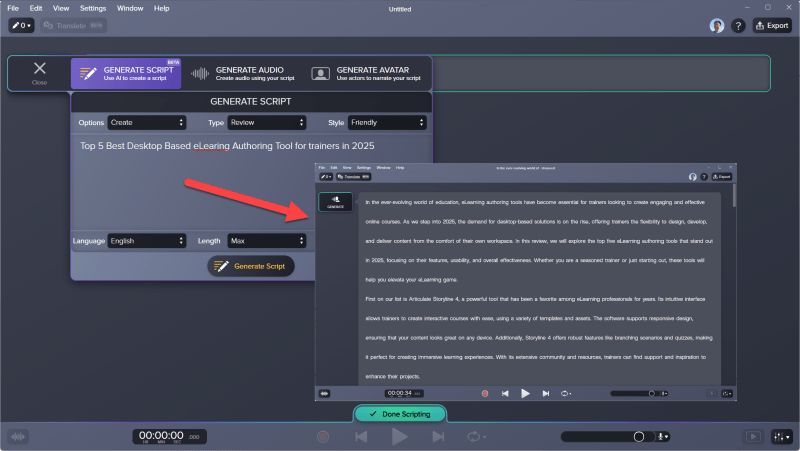
1. AI Script Writing
You can input a topic or some basic ideas, and AI will automatically generate a complete script for your video. This saves time when you need a professional outline without having to write everything from scratch. This new feature is available in Audiate, meaning that you can only use it when purchasing Camtasia Create plan. With this tool, you can just input your idea, select the Type, Style, languague and Length. After 2 minute, you’ll get a full video script automatically.
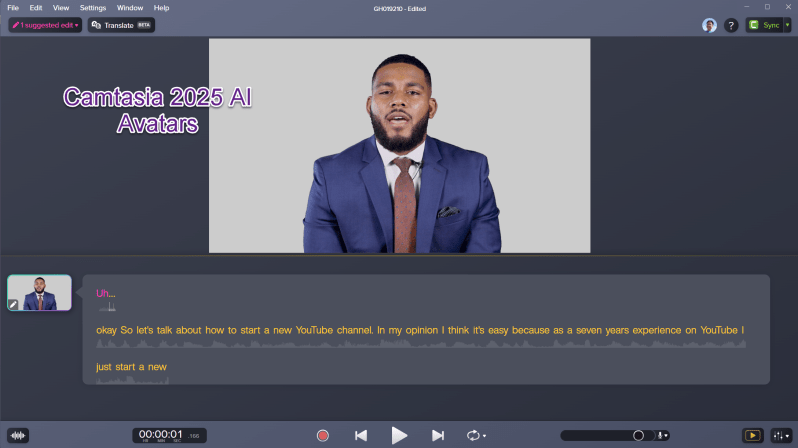
2. AI Avatar Presenter
Camtasia now allows you to create videos with an AI-generated presenter. You just need to input the text, select a voice, and AI will generate a virtual host who delivers the content. It is easy to generate a video using this vertual avatar. This feature is super helpful for those who don’t want to present in front of the camera or disabel people.
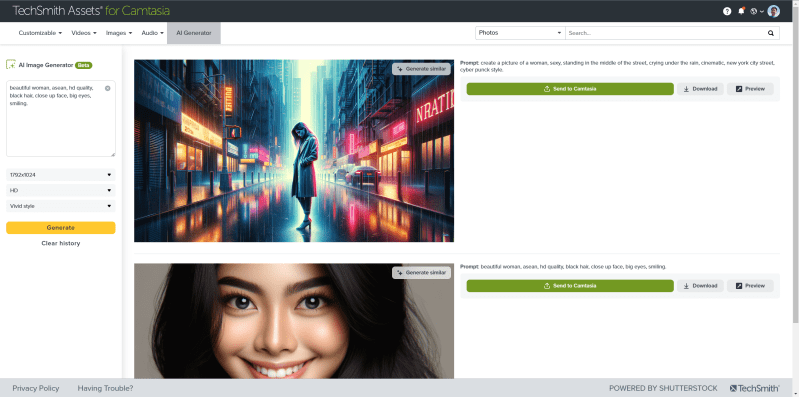
3. AI Image Generation
Camtasia 2025 integrates an AI tool that can generate images based on your descriptions. This is useful when you need illustrations without spending time searching or designing them manually. By the way, you need to access to Camtasia Assets Library to generate images using AI.
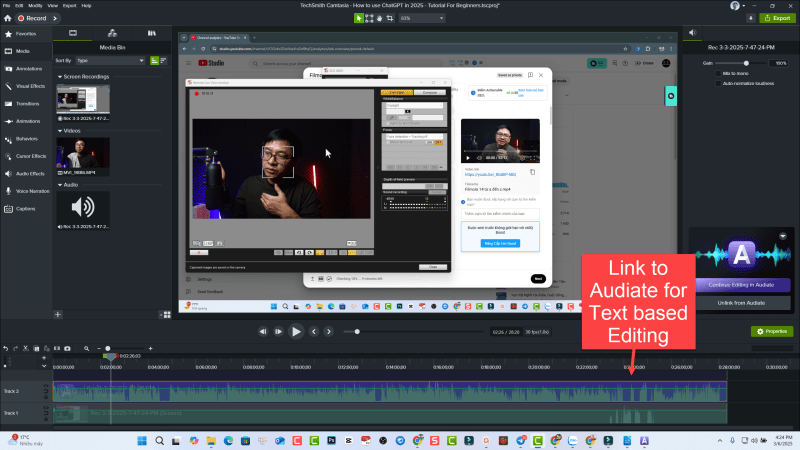
4. AI Text Based Editing
Camtasia 2025 lets you edit video like editing text with the help of Audiate. So, you need to link your video to Audiate for further editing.
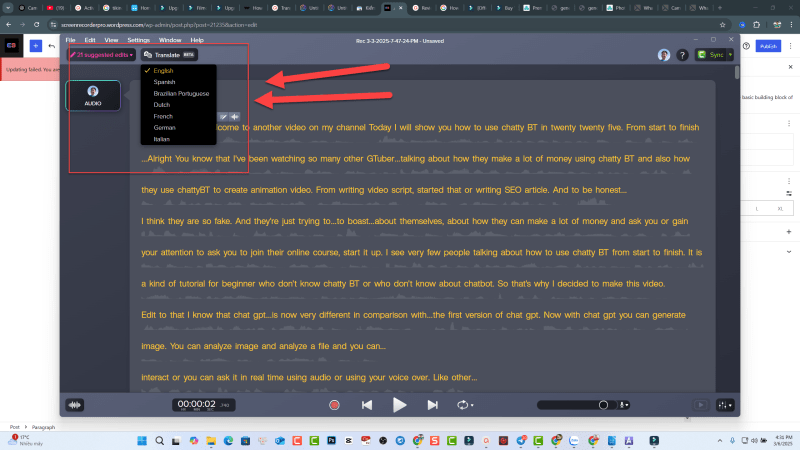
5. AI Translation
You can transcrbie your video/audio into different languages using AI Translation feature in Camtasia 2025. But this feature is only in beta mode and the language options are very limited.
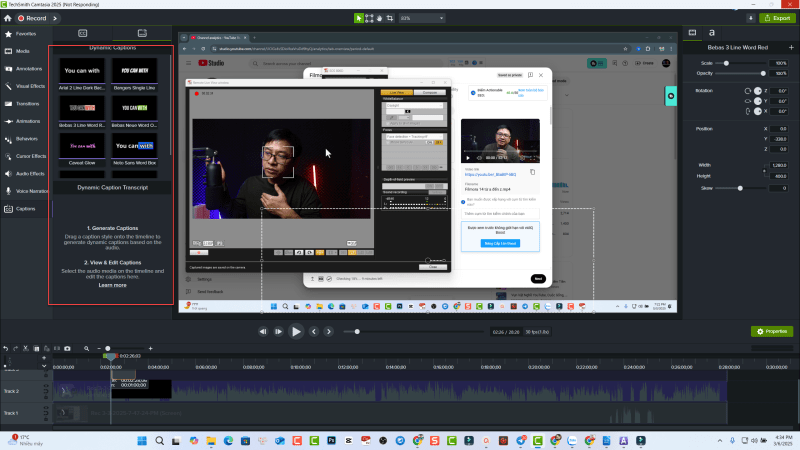
6. Dynamic Caption Editing (auto caption)
Add dynamic captions to automatically transcribe audio on the timeline into customizable onscreen caption text. Perfect for social media videos!
Bottom Line
If you’re currently using Camtasia 2024, it’s important to evaluate the AI features in Camtasia 2025 before deciding whether to upgrade. While the new AI-powered tools, such as scriptwriting, image generation, and AI avatars, are impressive, they are not included in the standard version and require additional purchases through Camtasia Create or Camtasia Pro. If these AI enhancements align with your workflow, the upgrade might be worthwhile, but if you don’t see a strong need for them, sticking with Camtasia 2024 could be a more cost-effective choice.
For beginners who want an intuitive and efficient way to create training videos, Camtasia remains one of the best options due to its ease of use and strong editing capabilities. However, if you’re looking for an alternative, Atomi ActivePresenter is worth considering. It offers powerful screen recording, video editing, and e-learning features at a competitive price, making it a solid competitor to Camtasia, especially for those focused on instructional content creation.
 Elearning Supporter
Leave a comment