Creating high-quality video training has never mattered more. Corporate L&D teams, teachers, and independent course creators are all racing to produce clear, professional instructional content — and they’re doing it faster than ever, thanks to a wave of new “AI-powered” tools.
Camtasia 2026, the latest release from TechSmith, is at the center of that conversation. Marketing copy, YouTube reviewers, and forum threads are all asking the same question: does Camtasia 2026 actually have an AI Agent, or is that just clever positioning around a set of AI-assisted features?
This article gives you a straightforward, no-hype answer. We’ll unpack exactly what Camtasia 2026’s AI tools do (and don’t do), walk through its real 2026 pricing tiers, weigh the genuine pros and cons for video training specifically, and then introduce a free, more training-focused alternative worth considering: Atomi ActivePresenter.
Table of Contents
What Is Camtasia 2026, Really?
Camtasia has been TechSmith’s flagship screen recording and video editing product since 2002, and it remains one of the most recognizable names in the “record your screen, edit it, share it” category. Camtasia 2026 continues that legacy with a modernized editor, a multi-track timeline, and a large library of animations, transitions, and templates.
The 2026 release leans heavily into two workflow tools:
- Camtasia Rev — a lightweight, canvas-based recording and quick-editing layer that sits between recording and the full editor. It lets you reframe footage for different aspect ratios (landscape, vertical, square), apply background and layout presets, and add basic effects before sending the project into the main Camtasia timeline.
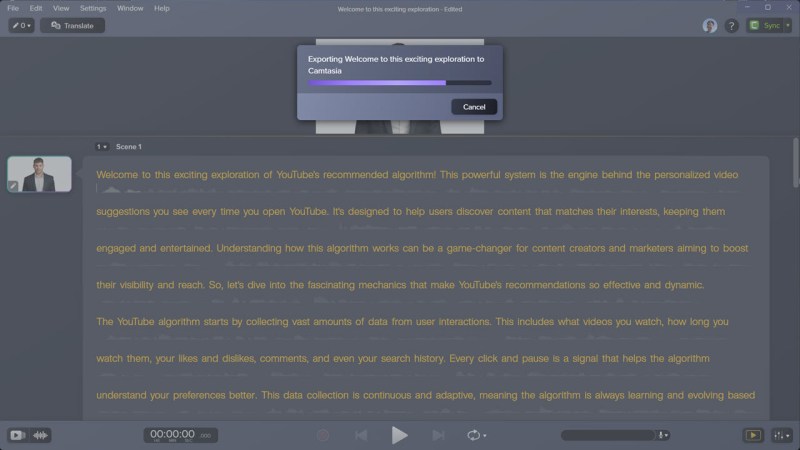
- Camtasia Audiate — a text-based audio editor. Instead of scrubbing a waveform, you edit a transcript, and the underlying audio updates to match. This is genuinely useful for trimming filler words and restructuring narration quickly.
On top of these, Camtasia 2026 bundles AI Noise Removal, SmartFocus (automatic zoom-and-pan based on screen content), dynamic auto-captions, AI script generation, and — at the higher pricing tiers — AI voice generation, AI avatars, and audio dubbing/translation.
So is that an “AI Agent”? Let’s look closer.
Does Camtasia 2026 Have a True AI Agent?
This is where a lot of the online buzz gets ahead of the product. An “AI Agent,” in the way the term is generally used in 2026, refers to a system that can independently plan and execute a multi-step task on your behalf — for example, taking a topic, researching it, drafting a script, generating a full narrated video, and publishing it with minimal human input.
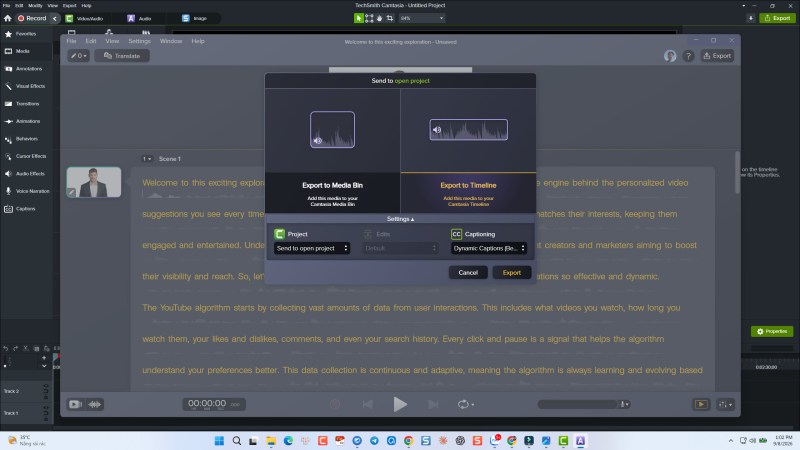
Camtasia 2026 does not do this. There is no autonomous agent that plans and produces an entire training video for you end to end. What Camtasia actually offers is a collection of discrete, human-in-the-loop AI assistants layered into an otherwise traditional editing workflow:
- AI script generation — drafts a starting script from a prompt or outline, which you then edit manually.
- Text-to-speech / AI voice generation — converts a script into a narrated voice track (available from the Create tier upward).
- AI Noise Removal — isolates voice from background sound like fans, keyboard clicks, or room echo.
- Speech-to-text and dynamic captions — auto-transcribes narration and generates styled, animated captions.
- SmartFocus — automatically applies zoom and pan effects to draw attention to on-screen actions.
- AI avatars, dubbing, and translation (Pro tier only) — a smaller set of generative features aimed more at marketing-style explainer videos than structured training content.
Each of these tools does one job well, and each still requires you to direct it, review the output, and stitch the pieces together yourself inside the timeline. That’s a meaningfully different product than an “AI Agent,” and it’s worth knowing the difference before you buy a plan expecting one-click video generation.
None of this makes Camtasia’s AI features useless — quite the opposite, they genuinely speed up scriptwriting, narration, and cleanup work. But calling it an “AI Agent” oversells what’s actually a smart, well-integrated AI assistant toolkit.
Camtasia 2026 Pricing Explained
TechSmith moved Camtasia from a one-time perpetual license to an annual subscription model starting in late 2024, and that structure continues into 2026. If you’re budgeting for video training software, here’s the current tier breakdown:
| Plan | Price | What You Get |
|---|---|---|
| Starter | ~$39/year | Screen and camera recording, basic editing, Snagit access — but every export carries a Camtasia watermark |
| Essentials | ~$179.88/year | Watermark-free exports, text-based editing via Audiate, speech-to-text, auto-captions |
| Create | ~$249/year | Everything in Essentials plus AI script generation, AI voice generation, and AI Noise Removal |
| Pro | ~$599/year | Everything in Create plus AI avatars, video translation, audio dubbing, and AI image generation |
| Business | ~$198/user/year | Team licensing with volume pricing (up to ~99 seats) |
A few things stand out when you actually total this up. To get any meaningful AI assistance — the features most of the “Camtasia 2026 AI” marketing is built around — you need at minimum the Create plan at roughly $249/year, not the entry-level Starter plan most reviews lead with. And because this is a recurring subscription rather than a one-time purchase, the real multi-year cost for a small training team can add up quickly, especially at the Business or Pro tier.
That’s not automatically a dealbreaker — subscription software is the norm now, and TechSmith does ship regular updates in exchange. But it’s an important detail for anyone comparing total cost of ownership, particularly solo creators, teachers, or small businesses producing training content on a tight budget.
Check out latest Camtasia discount coupon code on our partner website here!
Pros of Camtasia 2026 for Video Training
To be fair to Camtasia, there’s a reason it has remained a category leader for over two decades. For video training specifically, here’s where it genuinely shines:
1. Genuinely beginner-friendly. The interface is clean, the learning curve is short, and most people can record their first screencast and produce a polished-looking video within an hour of installing it. For teams without a dedicated video editor on staff, that matters a lot.
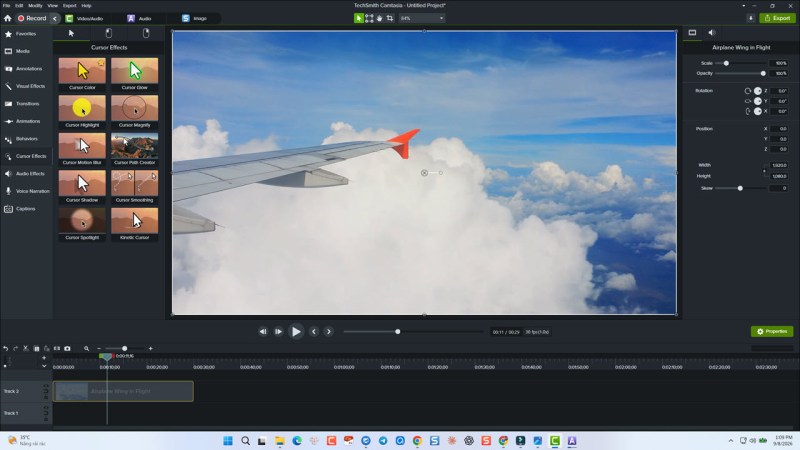
2. Best-in-class cursor and click effects. Camtasia’s built-in “cursor smoothing,” click highlights, and keystroke callouts are some of the best in the industry. For software tutorials and step-by-step walkthroughs, this alone makes the finished video easier to follow.
3. Solid, integrated AI assist tools. Audiate’s text-based editing is a genuine time-saver for narration-heavy training videos, and AI Noise Removal produces cleaner audio without needing separate audio software.
4. Large asset and template library. Camtasia Assets gives you a big head start on intros, lower-thirds, transitions, and branded elements, which shortens production time for teams making a lot of similar-format videos.
5. Multi-platform reframing via Camtasia Rev. If the same training content needs to live on YouTube, LinkedIn, and an internal portal in different aspect ratios, Rev streamlines that adaptation work considerably.
Cons of Camtasia 2026 for Video Training
Camtasia’s weaknesses become more apparent the moment “video training” shifts from “a video that trains someone” to “a course that trains, tests, and tracks someone” — which is where most corporate and academic training actually lives.
1. AI voices can still sound synthetic. Even in 2026, TechSmith’s built-in text-to-speech engine is functional but not fully natural. For longer narration, you’ll likely spend real time hand-tuning pacing, pauses, and emphasis, or recording your own voice instead.
2. It’s a recurring cost, not a one-time purchase. As shown above, meaningful AI features start around $249/year and climb to $599/year at the Pro tier. For solo creators, students, or small training teams, that ongoing cost is a real consideration compared to software with a one-time license.
3. No true interactivity. This is the big one. Camtasia produces linear video files — the learner presses play and watches. There’s no native way to insert a clickable quiz question, a branching decision point, or a “try it yourself” simulation where the learner actually practices the software rather than just watching it demonstrated.
4. No LMS/SCORM export. Camtasia doesn’t package content as SCORM or xAPI, the standard formats Learning Management Systems (LMS) like Moodle, TalentLMS, or Cornerstone use to track completion, quiz scores, and time-on-task. If your training needs to report results to an LMS, Camtasia alone can’t do that — you’d need a separate authoring tool anyway.
5. “AI Agent” framing oversells the reality. As covered above, what you get is a set of assistive AI tools bolted onto a traditional linear video editor — not an autonomous system that builds a training course for you.
The Real Gap: Is Camtasia Enough for Corporate & eLearning Training?
Here’s the honest, non-marketing answer: it depends entirely on what “training” means for your use case.
If “training” means a single explainer video, a product demo, a marketing walkthrough, or a YouTube tutorial that someone watches passively — Camtasia 2026 is a strong, well-built tool, and its AI-assisted workflow genuinely saves time on scripting, narration, and cleanup.
But if “training” means something closer to a course — one where a learner needs to click through software steps themselves, answer quiz questions to prove understanding, follow a branching path based on their choices, and have their completion and score reported back to an LMS for compliance or certification purposes — Camtasia stops well short of the finish line. It’s a video editor, not an eLearning authoring tool, and it was never designed to be one.
This is the gap that pushes a lot of instructional designers, corporate trainers, and academic content creators to look for something built specifically around interactive learning, rather than just polished video.
Meet ActivePresenter: A Free, Training-First Alternative
If your goal is genuinely interactive video training rather than a passive watch-and-learn video, Atomi ActivePresenter is worth serious consideration — and unlike Camtasia’s subscription model, it offers a free edition with the full feature set for non-commercial or evaluation use, plus one-time perpetual licenses (not recurring subscriptions) for commercial use.
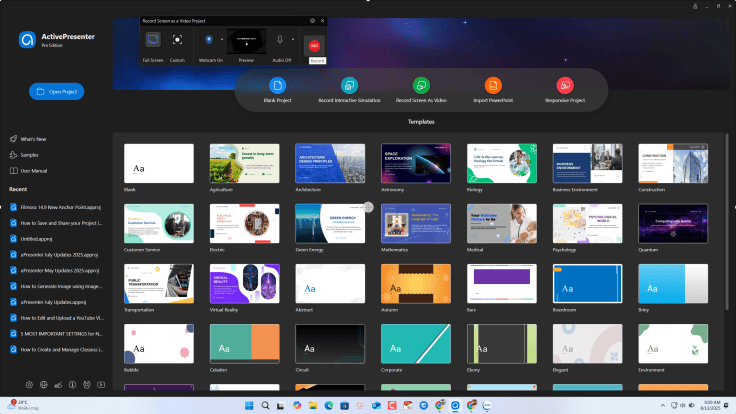
Here’s what sets it apart specifically for training content:
1. True Interactive Software Simulations
Instead of just recording a screen for someone to passively watch, ActivePresenter’s Record Software Simulation mode captures each step of your screen actions and automatically converts them into an editable, interactive slide-based project — complete with clickable hotspots, text-entry fields, and step-by-step prompts. The result is a simulation the learner actively does, clicking and typing through the software themselves, rather than a video they simply observe. For software onboarding and IT training, this difference in retention is significant.
2. Full eLearning Authoring, Not Just Video
ActivePresenter supports 13 different interactive question types (multiple choice, drag-and-drop, hotspot, fill-in-the-blank, and more), branching scenarios based on learner choices, variables and conditional logic, and custom feedback. When a course is finished, you can export it as SCORM 1.2, SCORM 2004, or xAPI (Tin Can) — the formats virtually every corporate and academic LMS expects — so completion, scores, and time spent can be tracked automatically. This is the exact capability that Camtasia lacks outright.
3. A Real Multi-Track Video Editor Too
ActivePresenter isn’t just an authoring tool bolted onto a screen recorder — it includes a genuine multi-track timeline for deep video editing: cutting and trimming, background noise reduction, animation and transition effects, and green-screen (chroma key) support. Teams that need both a polished stand-alone video and an interactive course can do both without switching software.
4. AI Features With a Practical Licensing Model
ActivePresenter has added its own AI tools — including AI-assisted narration and content generation — powered by AI credits. One detail worth calling out for teams working across multiple machines: if you activate the same license key on more than one computer (say, a desktop and a laptop), the AI credits are shared under that single license key rather than being siloed per device, which makes switching between work computers considerably less friction-prone than juggling separate credit pools.
5. Free to Start, One-Time License to Scale
The Free Edition gives you nearly the full authoring toolkit for evaluation and non-commercial use (outputs carry a watermark until licensed). For commercial use, ActivePresenter is sold as a one-time, perpetual license rather than an annual subscription — a materially different cost structure than Camtasia’s $179.88–$599 per year, every year pricing.
Camtasia vs. ActivePresenter: Side-by-Side Comparison
| Feature | Camtasia 2026 | ActivePresenter |
|---|---|---|
| Pricing model | Annual subscription ($39–$599/year) | Free edition + one-time perpetual license |
| Learning curve | Very beginner-friendly | Slightly steeper (more features to learn) |
| Screen recording | Yes, excellent cursor/click effects | Yes, plus Software Simulation mode |
| Video editing timeline | Yes, multi-track, mature toolset | Yes, multi-track, chroma key included |
| AI script writing | Yes (Create tier and up) | Yes (AI credit–based) |
| AI text-to-speech | Yes, can sound synthetic | Yes, AI credit–based |
| AI noise removal | Yes | Yes |
| Interactive quizzes | ❌ Not supported | ✅ 13+ question types |
| Branching scenarios | ❌ Not supported | ✅ Supported |
| SCORM / xAPI export | ❌ Not supported | ✅ SCORM 1.2, SCORM 2004, xAPI |
| Best for | Marketing videos, quick tutorials, YouTube content | Corporate/academic training, software onboarding, LMS-tracked courses |
Which One Should You Choose?
- Choose Camtasia 2026 if your output is primarily standalone videos — product demos, YouTube tutorials, marketing explainers — and you value a short learning curve over deep interactivity, and you’re comfortable with an ongoing subscription.
- Choose ActivePresenter if you need learners to actually practice inside a simulation, need quizzes or branching, need to report results to an LMS via SCORM/xAPI, or simply want a one-time license instead of a recurring annual fee.
- Consider using both, actually — some teams record raw footage or handle marketing-facing videos in Camtasia, then build the graded, trackable coursework in ActivePresenter. They solve different problems, and for organizations with mixed needs, that combination isn’t unusual.
Frequently Asked Questions
Does Camtasia 2026 have a real AI Agent? No. Camtasia 2026 includes several AI-assisted tools (script generation, AI voice, AI Noise Removal, SmartFocus, dynamic captions, and AI avatars at the Pro tier), but none of them operate as an autonomous agent that independently plans and produces a full training video without your input.
How much does Camtasia 2026 cost? Pricing runs from about $39/year (Starter, watermarked exports) up to $599/year (Pro, full AI feature set), with a Business plan at roughly $198 per user per year. Meaningful AI features require at least the $249/year Create tier.
Can Camtasia create SCORM or xAPI courses for an LMS? No. Camtasia exports standard video files; it does not package content as SCORM or xAPI, so it cannot report quiz scores or completion status to a Learning Management System on its own.
Is ActivePresenter really free? Yes — the Free Edition offers nearly the full authoring toolkit for non-commercial and evaluation use, with a watermark on outputs from non-free (e.g., AI) features. Commercial use requires a one-time paid license rather than a subscription.
Is ActivePresenter harder to learn than Camtasia? It has a somewhat steeper learning curve because it includes more eLearning-specific tools (quizzes, branching, variables), but the core screen recording and video editing workflow is comparable to Camtasia’s.
Which is better for corporate onboarding training? ActivePresenter is generally the stronger fit, since interactive software simulations, quizzes, and SCORM/xAPI tracking are central to most corporate onboarding programs — features Camtasia does not offer.
Final Verdict
Camtasia 2026 is a mature, polished, genuinely beginner-friendly tool, and its AI-assisted workflow features — Audiate’s text-based editing, AI Noise Removal, SmartFocus — do speed up production for straightforward video content. But the “AI Agent” branding surrounding it is more marketing language than technical reality, and its subscription pricing climbs quickly once you want the AI features that get the most attention.
More importantly, for anyone whose “video training” actually means interactive courses — with quizzes, branching, software simulations, and LMS tracking — Camtasia simply isn’t built for that job, and no amount of AI polish changes that.
If that describes your project, it’s worth downloading ActivePresenter and testing it against your actual training content. Between its free evaluation edition, one-time licensing, software simulation recording, and native SCORM/xAPI export, it’s built from the ground up for exactly the kind of interactive training video that Camtasia can’t produce.


Leave a Reply