Disclosure: eLearning Supporter may earn a commission when you buy through some links on this page. It does not change how we evaluate products. Details were checked on October 30, 2026 and can change between releases.
The bottom line
A video shows employees where to click; a simulation asks them to make those clicks. That difference matters whenever a mistake changes a customer record, costs money or creates a compliance issue. The best training program often uses both formats, but not on every task. Here is a practical framework for choosing between screen recording vs software simulation—and a grounded comparison of the tools used to build each.
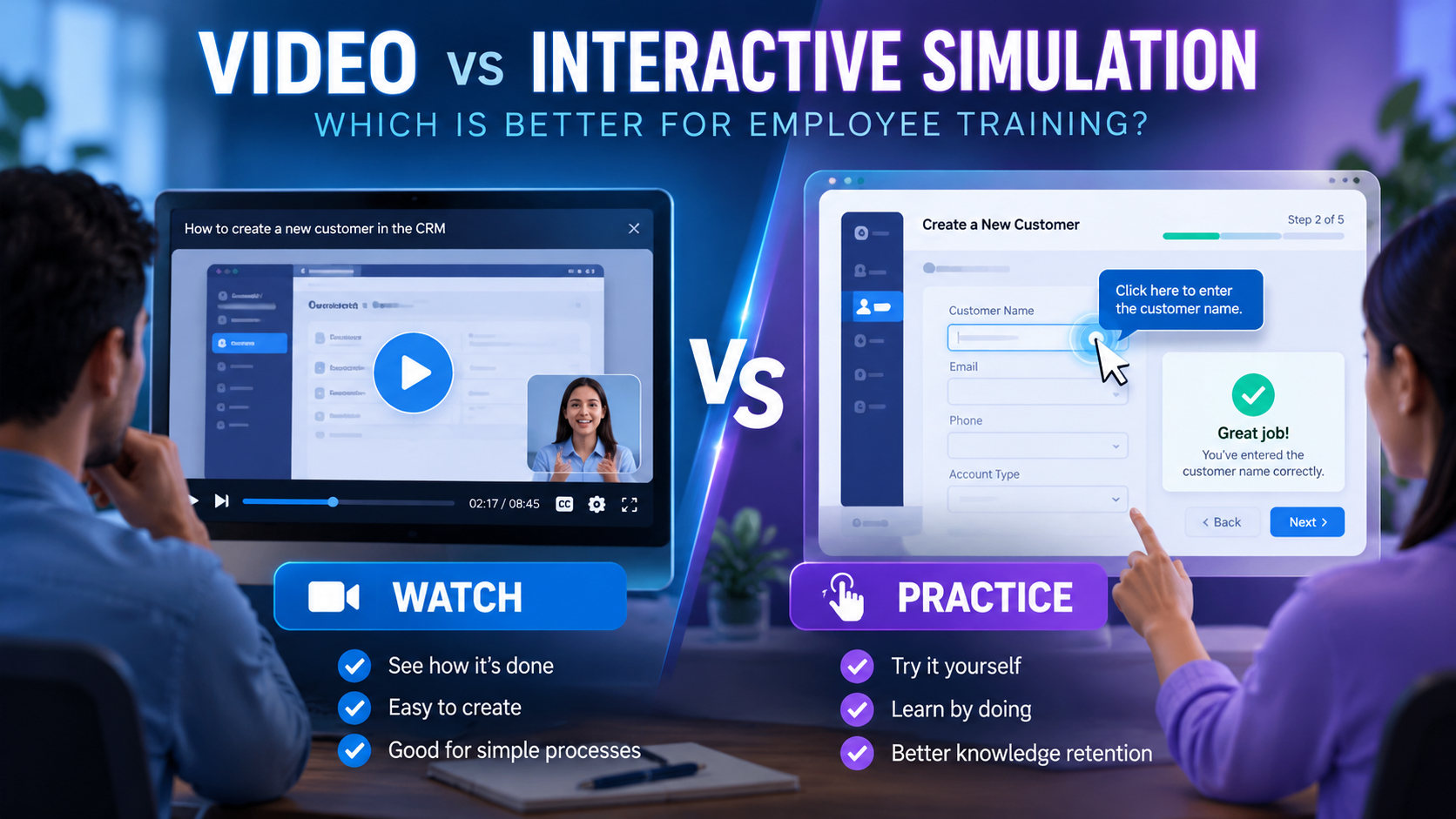
How we compared: workflow fit, learning outcomes, feature availability, licensing and the friction a real team faces during production—setup time, how easily an author can repeat a workflow, whether the output works on the target device and how quickly revisions can be made. “Best fit” is a recommendation for a user situation, not a claim that comparative lab testing was completed.
Watch, Try and Test: one CRM workflow in three modes
Imagine a fictional CRM where a representative must create a customer, assign an owner and save a follow-up.
- Watch: a two-minute narrator-led video demonstrates the steps and explains common mistakes.
- Try: a safe interactive facsimile prompts the learner to choose the correct fields and responds to errors.
- Test: prompts disappear and the learner must complete the sequence to a defined criterion.
This is more informative than treating “watched 100% of a video” as equivalent to doing the task.
When screen recording wins
A short video wins when the goal is awareness, a product announcement, a low-risk task or showing a rapidly changing interface. It is faster to distribute and easier to update if one button moves. Add chapters, clear captions, privacy-safe sample data and a quick knowledge check where useful. Do not assume its view completion proves job readiness.
When interactive software simulation earns its cost
Use simulation for workflows that require deliberate choice, repeated practice or safe rehearsal before touching production data. Examples include refund approval, a lab information system, or account access settings. Simulations can make mistakes visible in a controlled environment, but they must be rebuilt when interfaces change. Decide the importance of the competency before multiplying authoring effort.
At-a-glance tool comparison
| Tool | Best fit | Pricing |
|---|---|---|
| ActivePresenter | Product onboarding, operations workflows and repeatable task practice | Free edition with defined limits; Standard/Pro paid perpetual licenses (confirm SCORM entitlement per edition) |
| Articulate Storyline | High-stakes role-play scenarios, decision-based compliance and complex simulations | Articulate 360 AI annual subscription (personal and Teams plans) |
| Camtasia | How-to videos, product release education and quick process demos | Commercial subscription tiers that vary by plan |
1. ActivePresenter
Developed by Atomi Systems, ActivePresenter is a unified recording and eLearning authoring product, relevant when teams need a Watch → Try → Test sequence around a real application process. Its interactive software simulations and eLearning objects can model click targets, feedback and practice. Publish and test interactive output in the target LMS using the correct licensed edition.
- Pros: strong fit for combining screencasts and interactive practice; single-project workflow.
- Cons: building simulations requires more QA than publishing video; edition restrictions and LMS export need verification.
- Pricing: free edition with defined limits; Standard/Pro paid perpetual licensing. See ActivePresenter pricing.
- Best fit: product onboarding, operations workflows and repeatable task practice.
Check the current price: ActivePresenter Pro (the edition Atomi’s feature matrix lists with eLearning and SCORM publishing) · ActivePresenter Standard. (Affiliate links.)
2. Articulate Storyline
A specialized interactive authoring tool with triggers, layers, states, variables and branching. Screen recordings can be combined with guided tasks, decision screens and assessed interactions, though complex builds demand design discipline.
- Pros: customizable branching and assessments; mature LMS output choices.
- Cons: more development and maintenance time; recurring Articulate 360 author licensing.
- Pricing: Articulate 360 AI annual subscription, with personal and Teams pricing on the vendor’s pricing page.
- Best fit: high-stakes role-play scenarios, decision-based compliance and complex simulations.
3. Camtasia
A video-first recording and editing product. It is excellent for polished narrated demos, cursor emphasis and explanatory visual edits, but a video deliverable is not equivalent to a guided task simulator. Verify the exact edition and current interactive/LMS features rather than treating Camtasia as either fully incapable or identical to an eLearning authoring suite.
- Pros: accessible video production workflow; strong match for demonstrations and short tutorials.
- Cons: for detailed conditional practice and robust LMS assessments, dedicated authoring may be needed.
- Pricing: commercial subscription tiers vary by current plan and licensing terms.
- Best fit: how-to videos, product release education and quick process demos.
Learning design: feedback, difficulty and transfer
The first practice step should tell learners not only which control to select but why it matters. Reduce prompts gradually; in the test stage remove unnecessary hints. Add error consequences without inventing unrealistic penalties. Measure transfer separately: can a learner complete the equivalent task in a sanctioned sandbox several days later? Good simulation design is a hypothesis to evaluate, not proof of better retention on its own.
Build an employee training pilot in six steps
- Choose one critical job task and write observable success criteria.
- Record a concise demonstration using safe fake data.
- Author the guided interactive steps in a tool with suitable simulation features.
- Add feedback for two plausible errors.
- Build an unguided assessment with a consistent pass rule.
- Publish to the intended format, then test keyboard operation, timing, resume and LMS reports with multiple learner accounts.
If you are building video lessons that need light interactivity, our tutorial on creating interactive video lectures for an LMS is a good next step.
Cost model: creation versus maintenance
The lower initial cost of video is not always lower lifetime cost: a frequently misunderstood procedure may produce repeated support requests. But a detailed simulation can be expensive to update if the application’s UI changes monthly. Track author hours for initial build, revision, QA and learner support. Use this internal measurement to choose formats rather than relying on universal ROI figures.
Frequently asked questions
Can a simulation replace a live sandbox?
Sometimes for basic orientation, but genuine operational proficiency may require a supervised real environment.
Is a click-through animation a simulation?
Not necessarily. Meaningful practice requires user choices and feedback.
Can both formats be in one course?
Yes. Many effective courses use a short video to demonstrate, then a simulation to practise.
Must a simulation publish as SCORM?
Only if the organization requires LMS package tracking; other delivery methods may suit the use case.
Final recommendation
Choose the format and tool that solve the actual training problem, not the one with the longest checklist. ActivePresenter suits product onboarding, operations workflows and repeatable task practice. Articulate Storyline suits high-stakes role-play scenarios, decision-based compliance and complex simulations. Camtasia suits how-to videos, product release education and quick process demos. Start with a sample, verify the resulting file or LMS data, then compare total author effort alongside licensing.
👉 Ready to build your first simulation? Get ActivePresenter Pro for software simulations and SCORM publishing, or ActivePresenter Standard if you mainly produce screen recording videos. (Affiliate links: we may earn a commission at no extra cost to you.)


Leave a Reply